


Product Design

The Future of

Fitting is Here

ROle

Product · Research · Usability

Tools

Figma · UserTesting

Focus

Retail technology / B2B Product concept

Timeline

3 months

01 - My Hypothesis

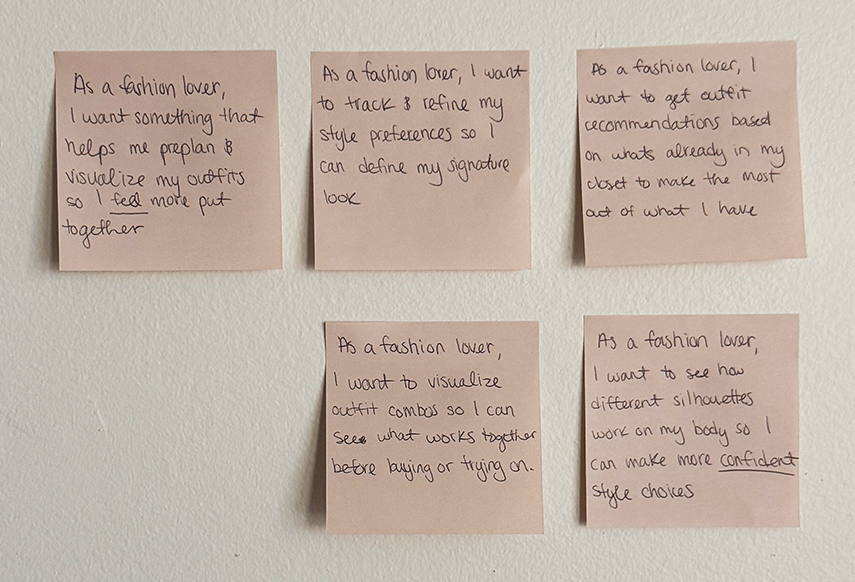
I had a hunch that people struggled to dress for their body type, but I wanted to validate that before designing anything

02 - Research

What shoppers
actually told me

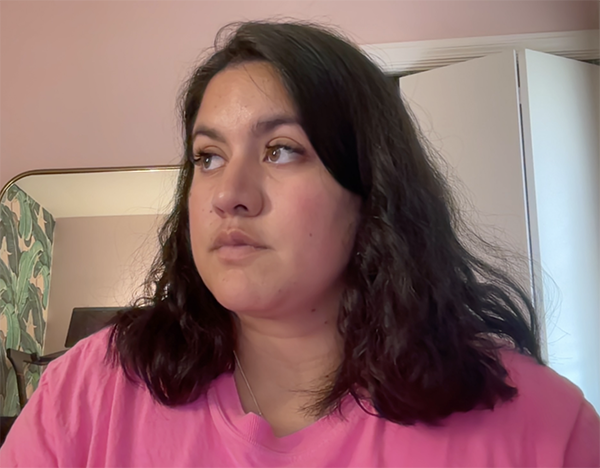
I conducted interviews with 4 shoppers who regularly purchase clothing both online and in stores. Participants ranged from ages 30–42 and represented a mix of shopping habits. Three clear patterns emerged.

01

Fit Uncertainty Drives Hesitation

"I'll order two sizes just in case and return one."

Participants frequently purchased multiple sizes or avoided buying online entirely because they couldn't accurately predict fit. This directly increases return volume and shipping costs.

02

Fitting Rooms Feel Like a Burden

"I'd rather take something home and return it than use a fitting room."

Shoppers describe fitting rooms as inconvenient when trying multiple outfits, and often abandon potential purchases rather than repeatedly entering and exiting.

03

Shoppers Want Full Outfits, Not Just Items

"I wish I could see how pieces work together before buying them."

Users were less interested in visualizing individual garments and more interested in seeing complete outfits — suggesting an opportunity to support style exploration, not just fit verification.

03 - The Problem

People struggle to define their personal style, which often results in impulse buying, leaving them with clothing they don’t truly love.

How Might We

How might we help shoppers discover which clothing pieces flatter their unique body types without trying them on so they feel more confident in their style?

04 - Early Concept

Initial Concepts

Features I knew I needed:

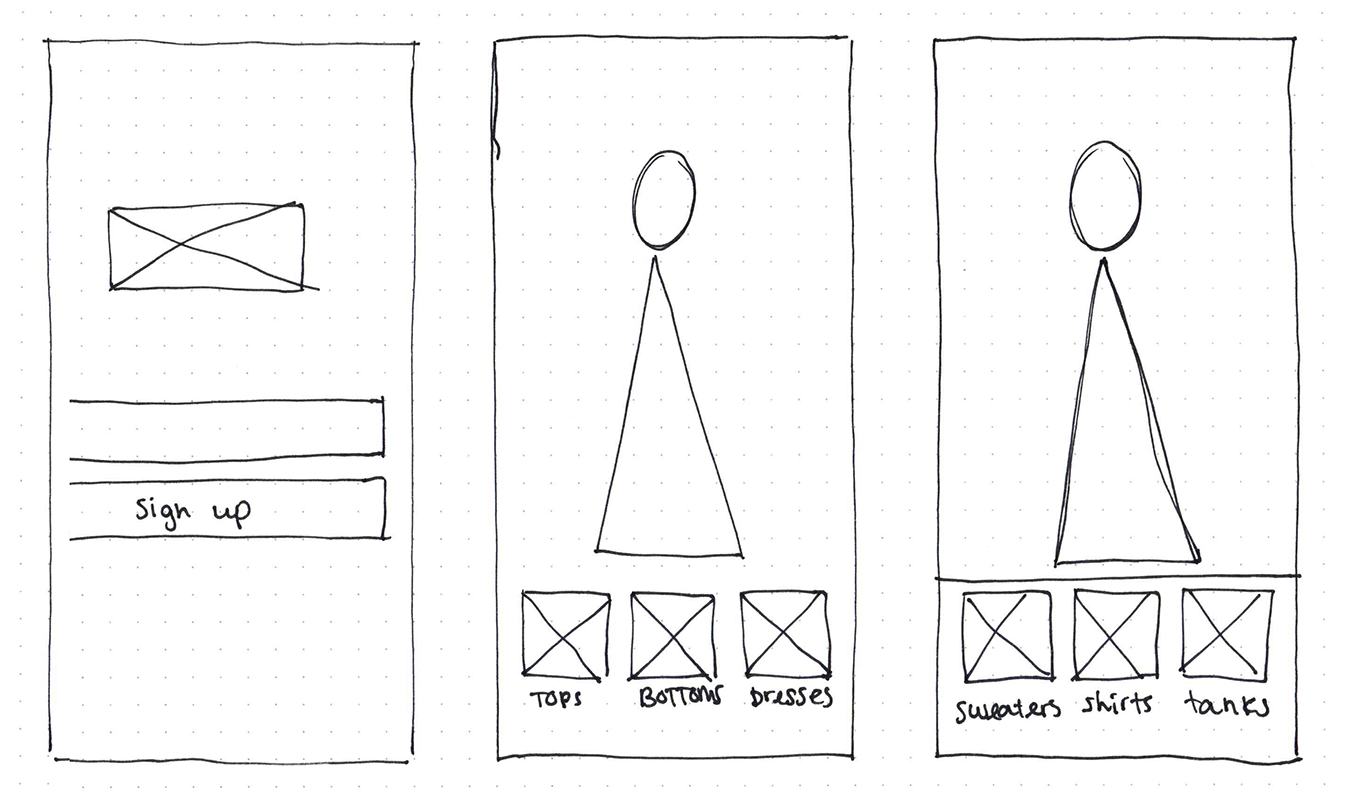
  • Real-time virtual try-on

  • The ability to preview complete outfits rather than individual pieces

  • Artificial Intelligence that could suggest styles based on someone's actual body proportions.

Pain Points Solved:

  • Feels the clothes don’t fit or flatter her body shape

  • A way to make getting dressed feel less overwhelming

Not frictionless

Not familiar

Not accessible

05 - Competitive Landscape

Where the Market Falls Short

I wanted to understand what already existed so I could identify where the real gaps were and make deliberate decisions about what TrueStyle should and shouldn't try to solve.

Competitive matrix comparing Google, Walmart Zeekit, Amazon, Snapchat, DeepAR, ThredX, and Zyler across try-on, style, in-person, and commerce capabilities.

Key
Yes
Partial
No
Google
Virtual Try-On
Walmart
Zeekit
Amazon
Virtual Try-On
Snapchat
AR Shopping
DeepAR ThredX Zyler
Try-On Experience
Try-on with own photoUpload selfie to preview garments
AR-based try-onLive camera overlay, not just photo
Body-fit accuracyFabric draping + proportions rendered
Full outfit buildingCombine multiple pieces as one look
Style Planning & Suggestions
AI style recommendationsSuggestions based on body & taste
Digital wardrobeSave & organize owned clothing
Retail Integration & Commerce
Direct purchase / checkoutBuy without leaving the try-on flow
Integrates with retail storesB2B solution for physical retailers
06 — The Pivot

Feasbility testing:
from living room to retail floor

After evaluating feasibility, I realized the hardware alone would make an in-home product inaccessible. That constraint became the catalyst for a stronger, more scalable direction.

Initial Concept

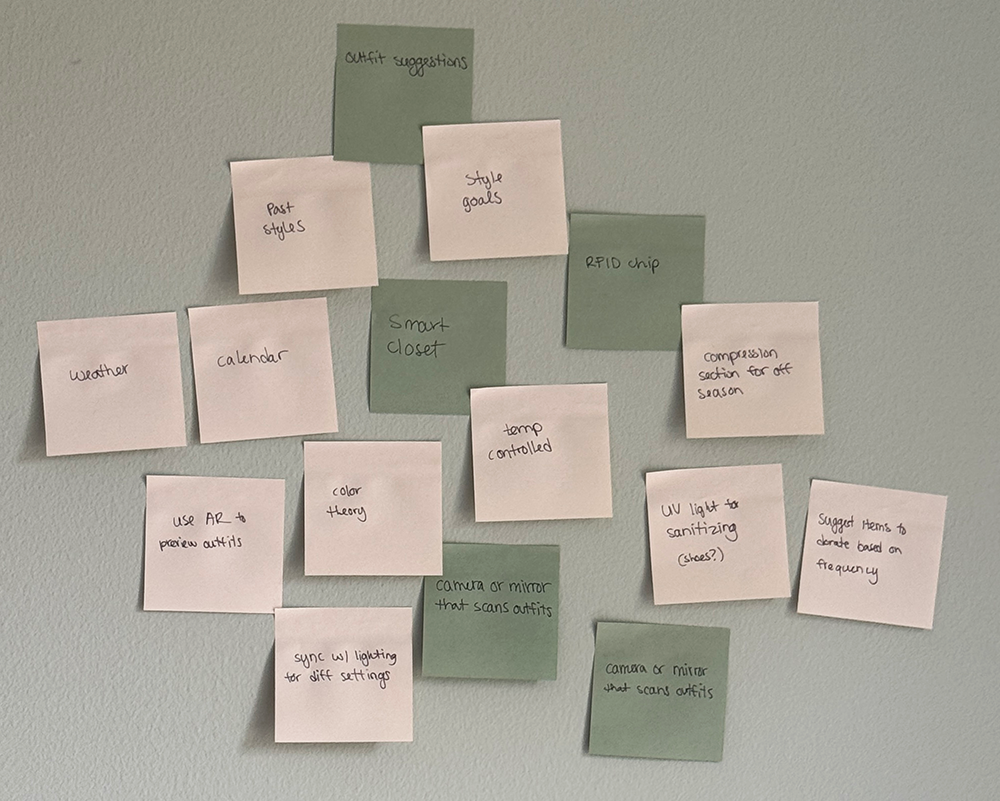
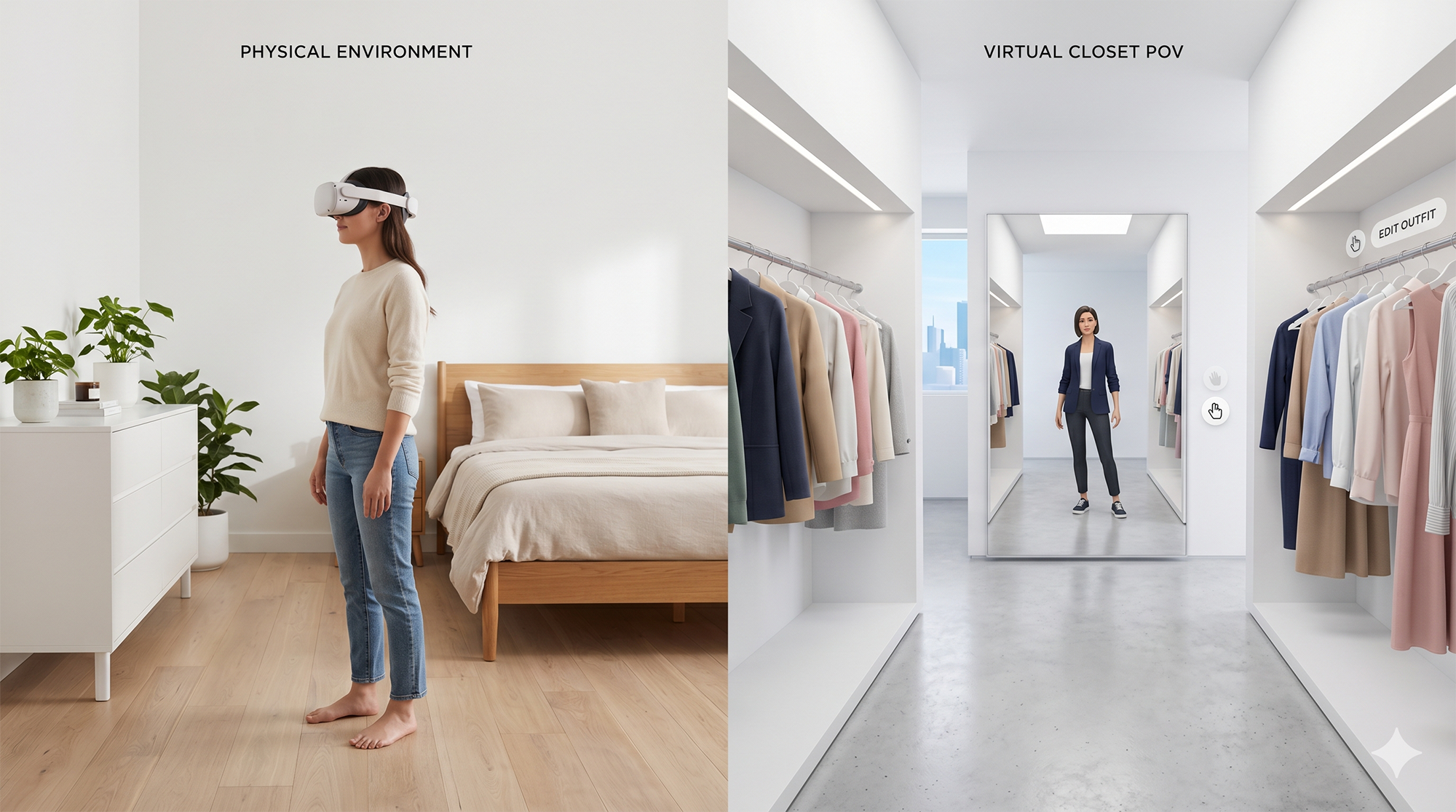
In-Home Smart Mirror

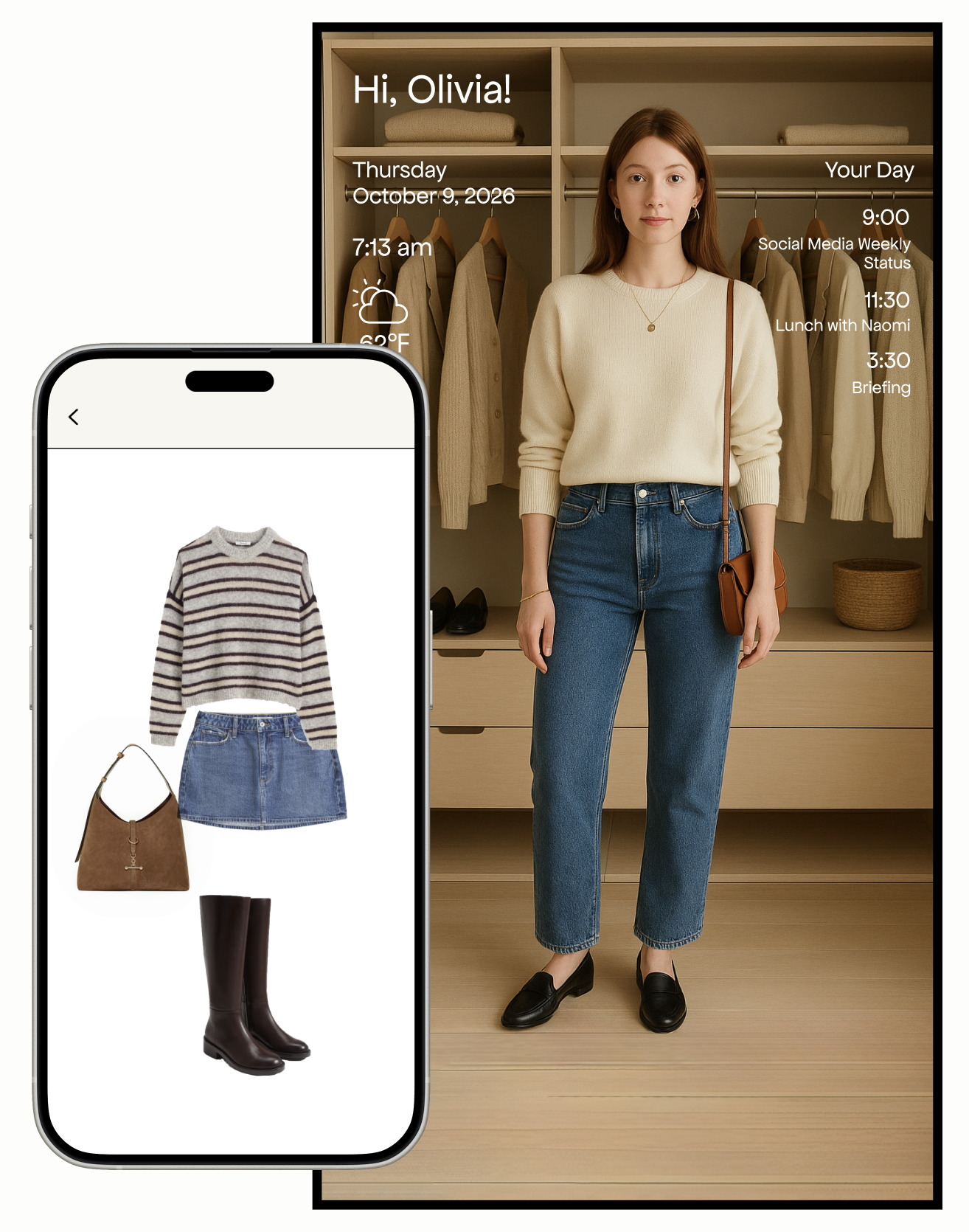
A consumer product for the bedroom — the mirror knows your wardrobe, suggests outfits, and lets you try on clothes virtually every morning.

$2,500 – $8,000 per unit
Pivot
Final Direction

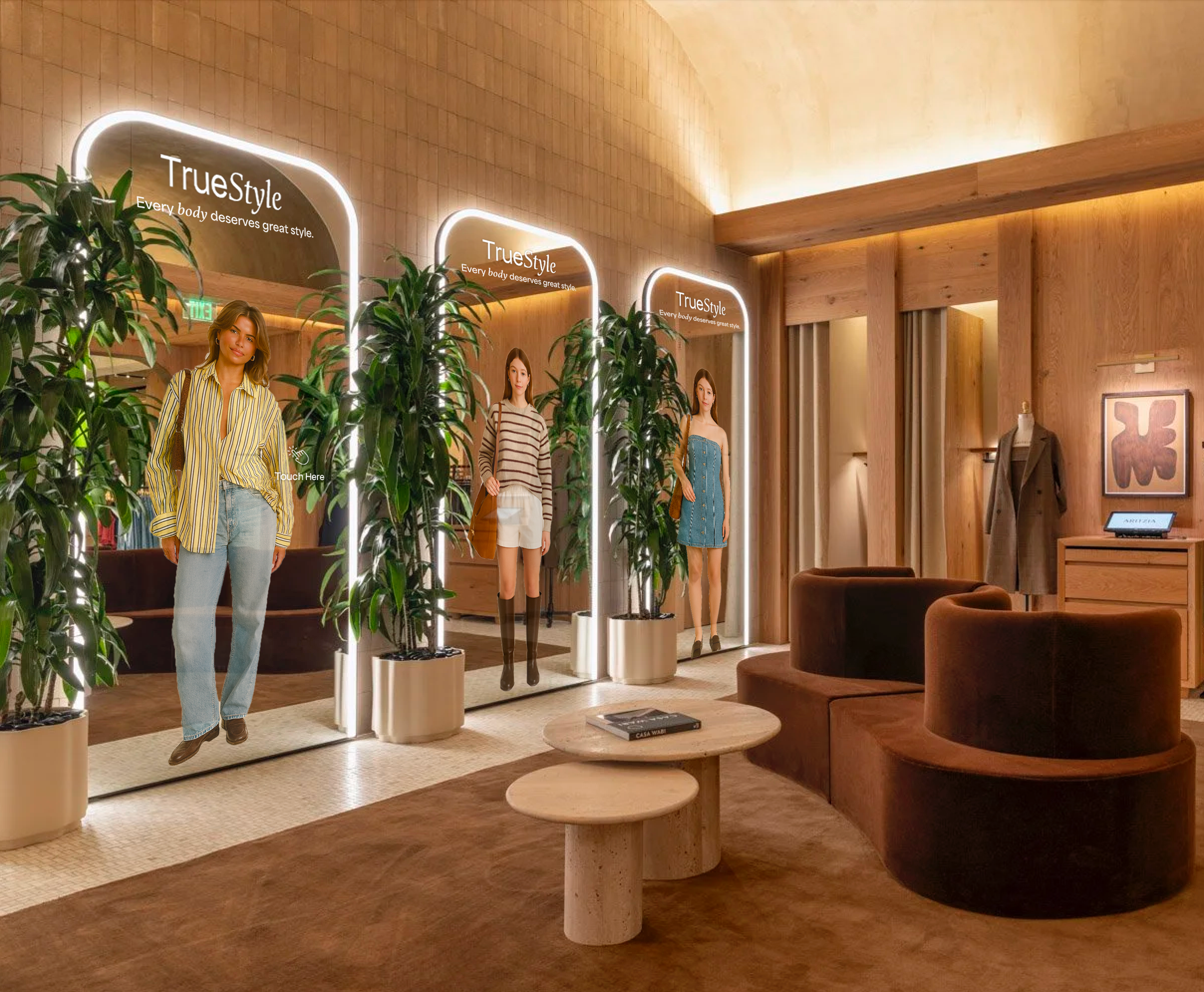
In-Store AR Mirror

A B2B SaaS platform for retailers — the technology is shared, costs distributed, and the experience integrates directly into the shopping environment.

Retailer leases hardware + subscription
Why the pivot — hardware cost breakdown
Computing Hardware
Ryzen 9 CPU$300 – $1,000
RTX GPU (mid → high end)$300 – $1,500
64GB RAM$100 – $300
2TB NVMe$300 – $2,000
Motherboard, PSU, cooling, case$100 – $400
PC Subtotal$2,000 – $3,000
Mirror Hardware
Stereoscopic camera$300 – $1,000
Mirror-display$300 – $1,500
Mirror glass / beamsplitter film$100 – $300
Stand, kiosk enclosure, housing$300 – $2,000
Lighting, mounts, cabling$100 – $400
Hardware Subtotal$1,100 – $5,000
Total hardware cost per unit
$2,500 – $8,000

Designing for
a new surface

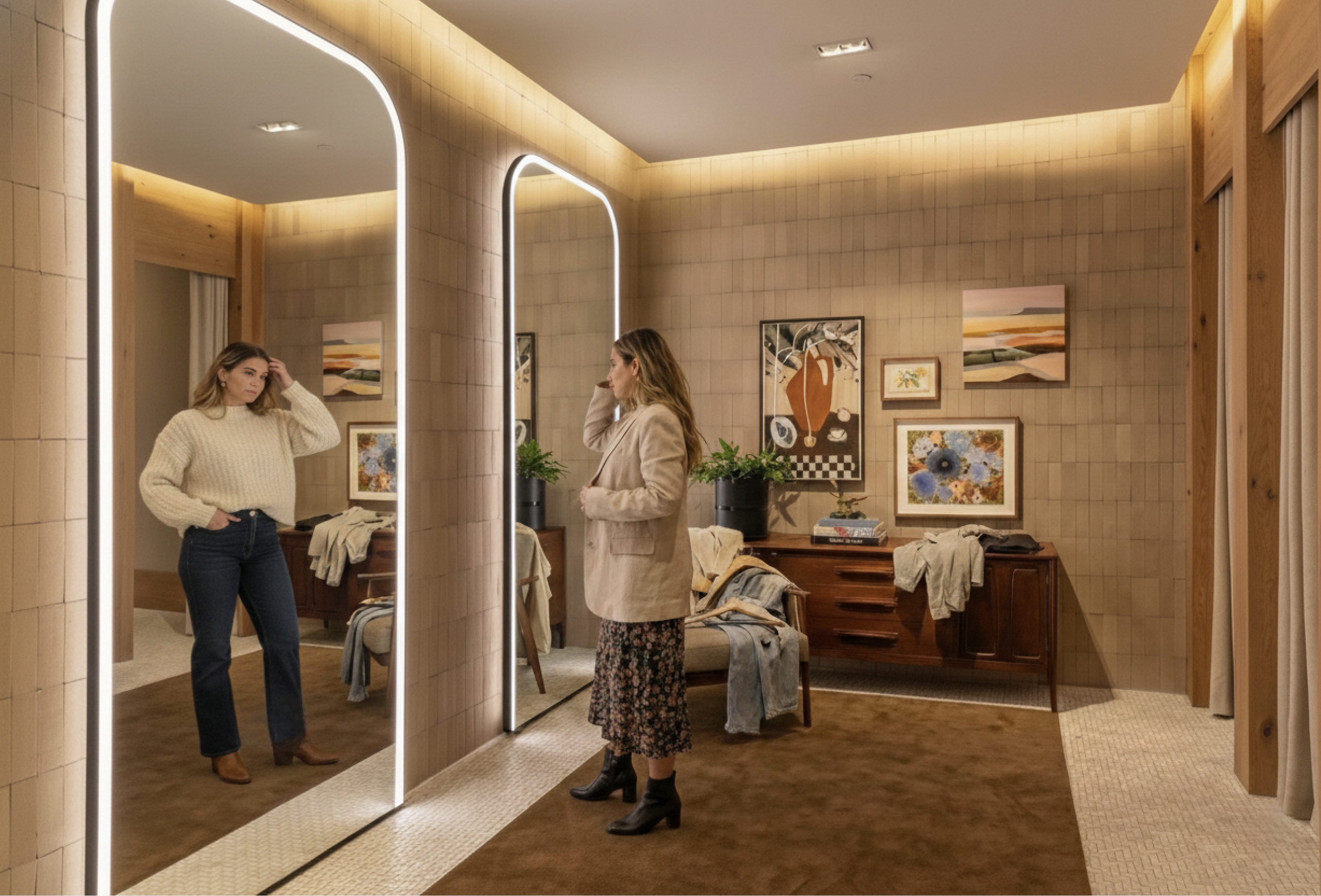
I had experience designing vertical touchscreen kiosks, but had never designed for a six-foot mirror. Unlike a kiosk where the screen is the primary focus, a mirror requires the user to see themselves clearly, overlaying UI elements across the body would directly interfere with the core experience.

This meant the interface had to live at the edges of the mirror, keeping the center completely clear for the AR visualization.

"A standard kiosk assumes a standing adult at arm's length, a mirror is used in place. I had to design for shorter users, children, and wheelchair users who may not reach controls placed too high."

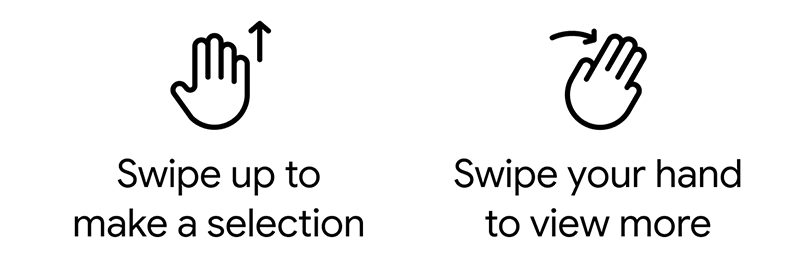
Then I realized, a touch solution wasn’t the answer either. A large touch mirror interface in a public space would accumulate fingerprints immediately and ruin the premium experience. I decided on gesture-based navigation as the primary input method. Gestures felt like the natural fit for this surface. It kept the experience hands-first rather than screen-first, which aligned with how people naturally behave in front of a mirror.

This turned out to be one of the more interesting findings from user testing. Going in, I expected gesture navigation to be the biggest point of confusion. But testers picked it up quickly and found it natural. The friction was elsewhere, which led to the QR code checkout solution. It was a good reminder to not make assumptions about your users.

width_full

Edge-Anchored UI

Navigation and controls anchored low and to the sides, center stage reserved for the body and AR overlay.

accessibility_new

Accessibility-First Layout

Gesture navigation enables for a fuller range of users including shorter individuals, children, and wheelchair users.

back_hand

Gesture Navigation

Gestures kept the experience hands-first rather than screen-first, aligned with how people behave at a mirror.

fingerprint

No Tap Navigation

Touch navigation on a large public mirror accumulates fingerprints across the UI immediately, gestures solve this.

Try on at home,
shop with confidence

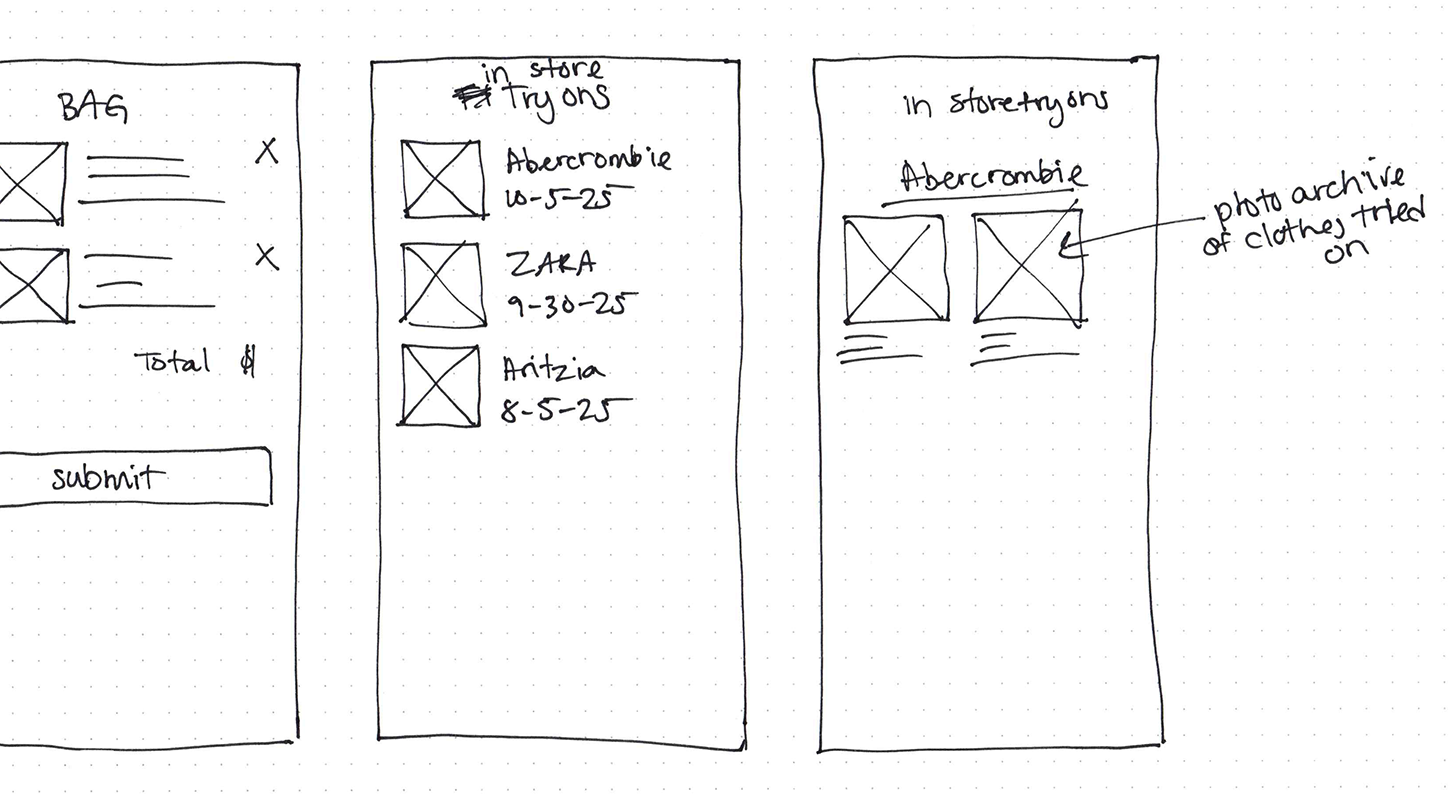
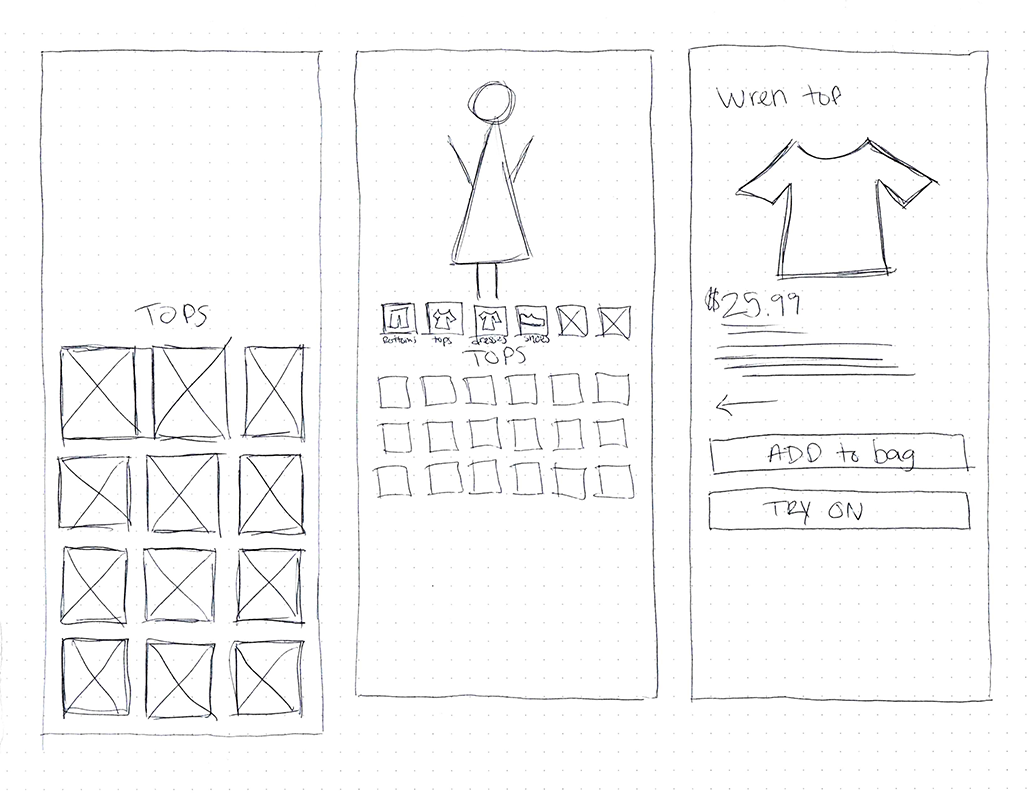
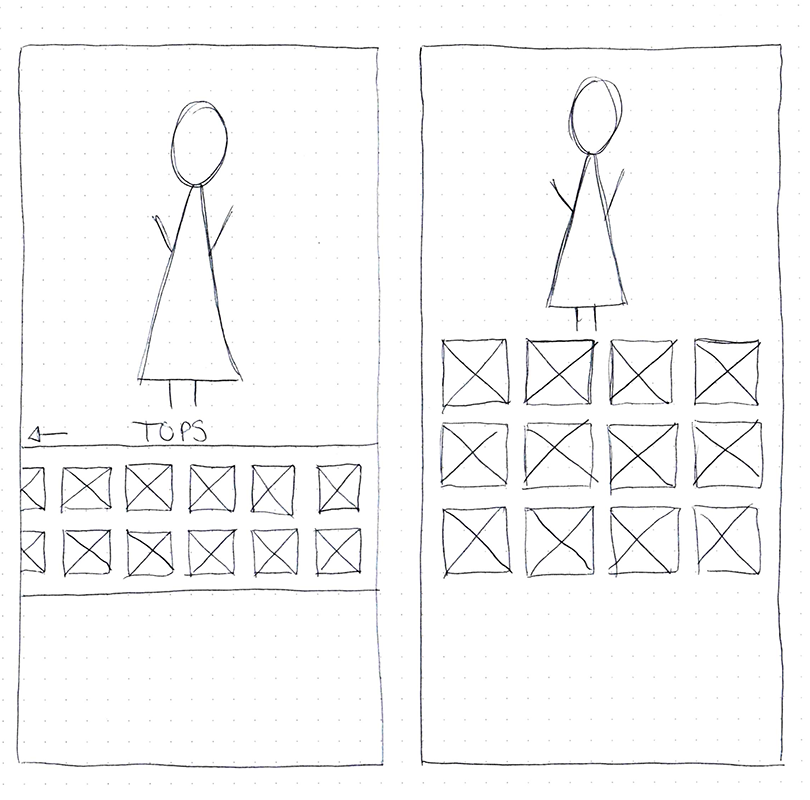
The mobile experience lets shoppers experiment with clothing and build outfits at home. Users first generate a personalized digital avatar based on body measurements and reference photos, creating a simplified 3D body model that represents their shape.

Once the avatar is created, shoppers can browse items and preview how they appear. Rather than focusing on individual garments, the experience encourages experimenting with complete outfits and exploring new styles with less risk.
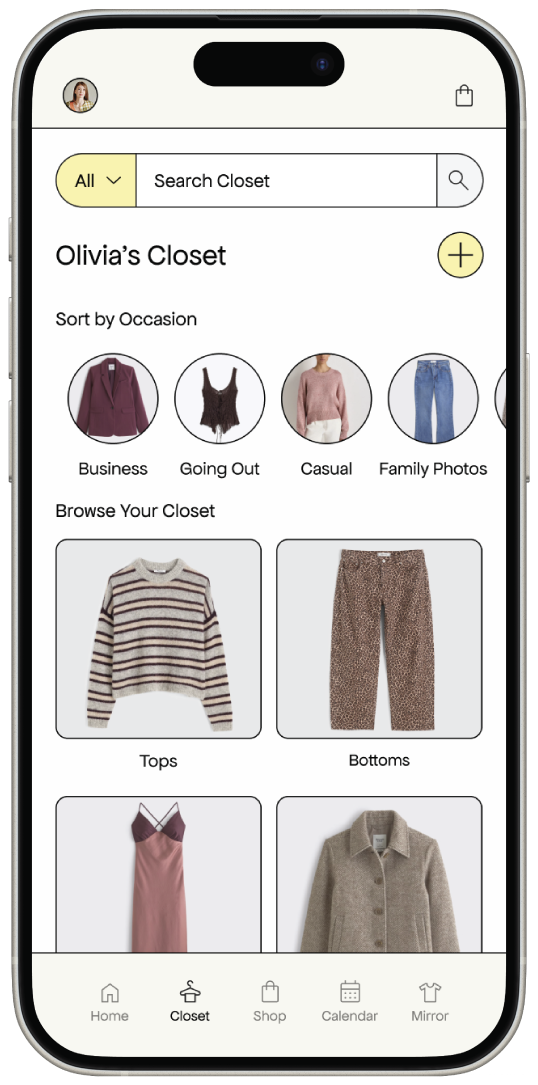
  • checkroom Virtual try-on at home
  • inventory_2 Digital wardrobe organization
  • auto_awesome AI-generated style suggestions
  • style Outfit building and planning
  • straighten Fit visualization insights

Three friction points.
One elegant solution.

Testing revealed three clear friction points in the mirror experience. The pattern pointed to a single root cause: the mirror was being asked to do too much.

01

Checkout Confusion

Users didn't know how to complete a purchase from the mirror interface.

02

Remove an Item

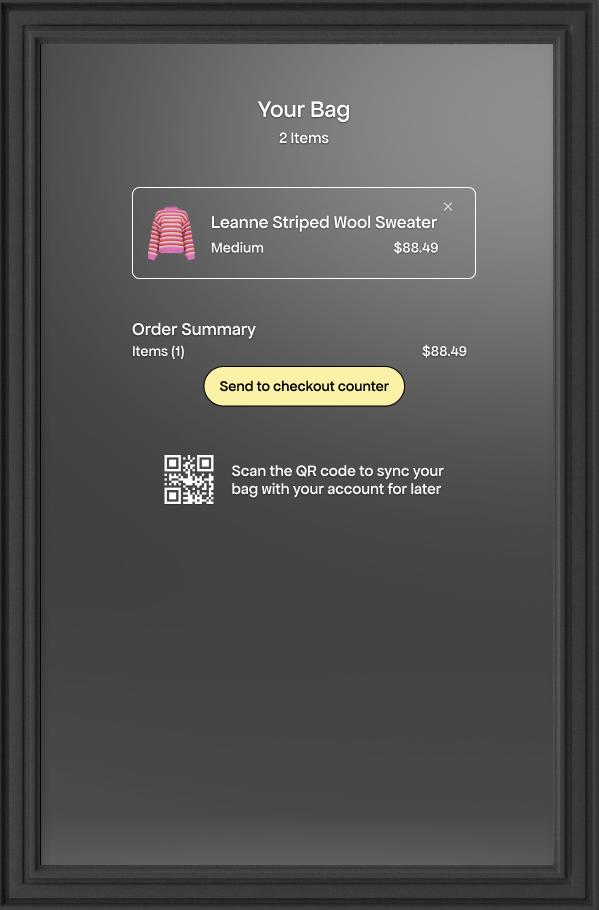
Users couldn't figure out how to remove a garment, and honestly neither could I.

03

Wanted More Detail

Users asked for totals, tax, and payment details, all on the mirror screen.

More information on the mirror sounds reasonable, but on a large public screen it would clutter the interface, extend session time, and create longer lines.

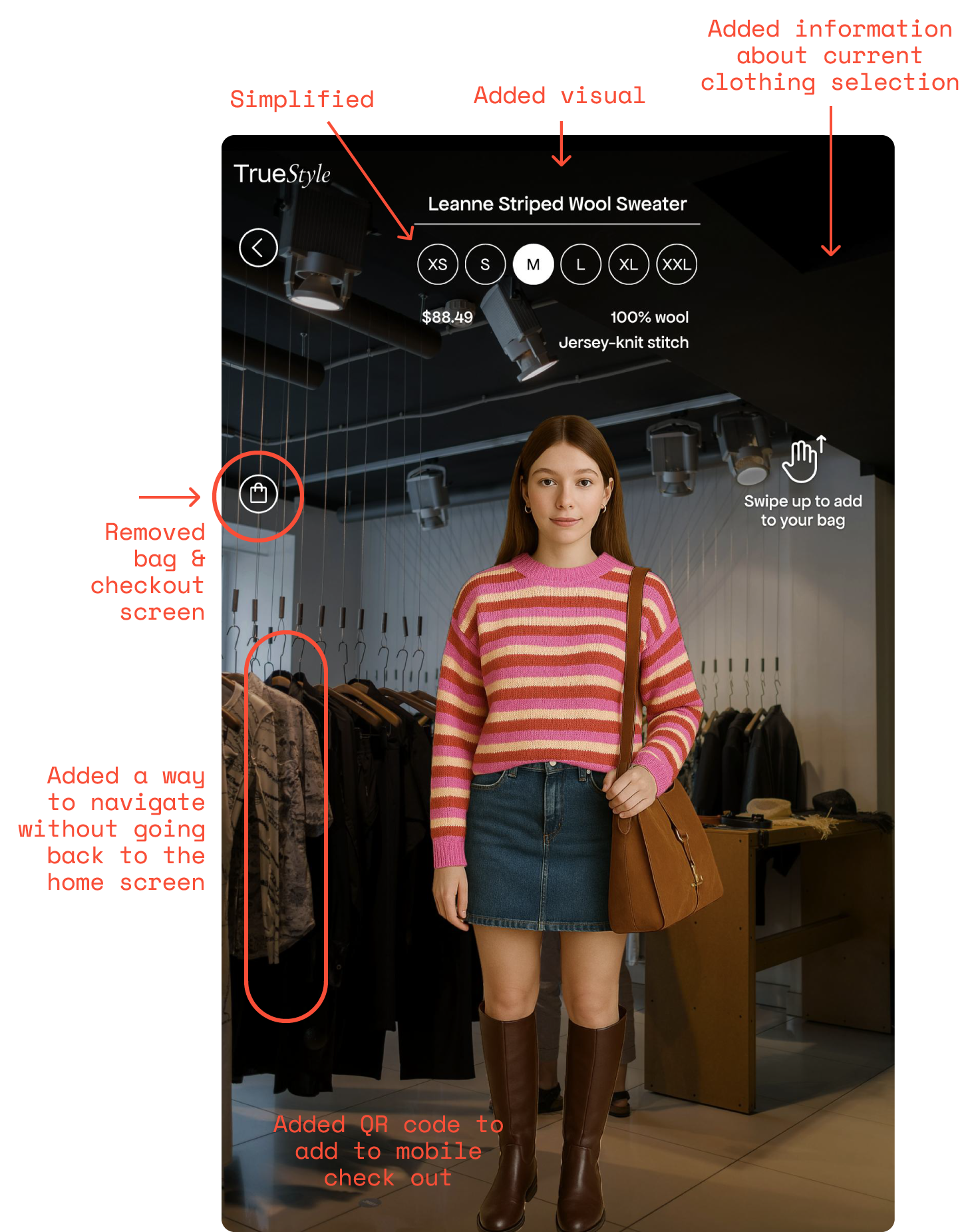
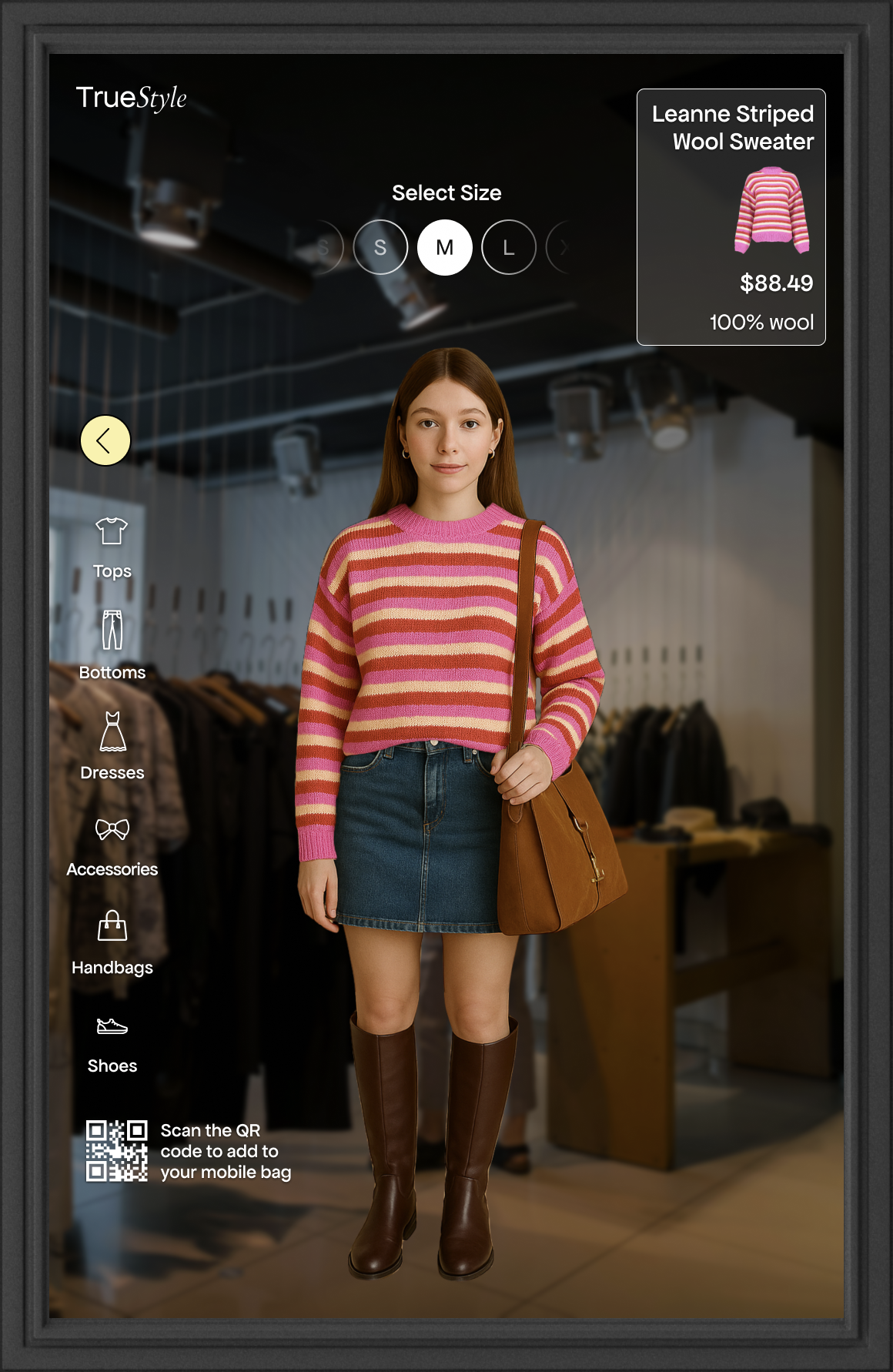
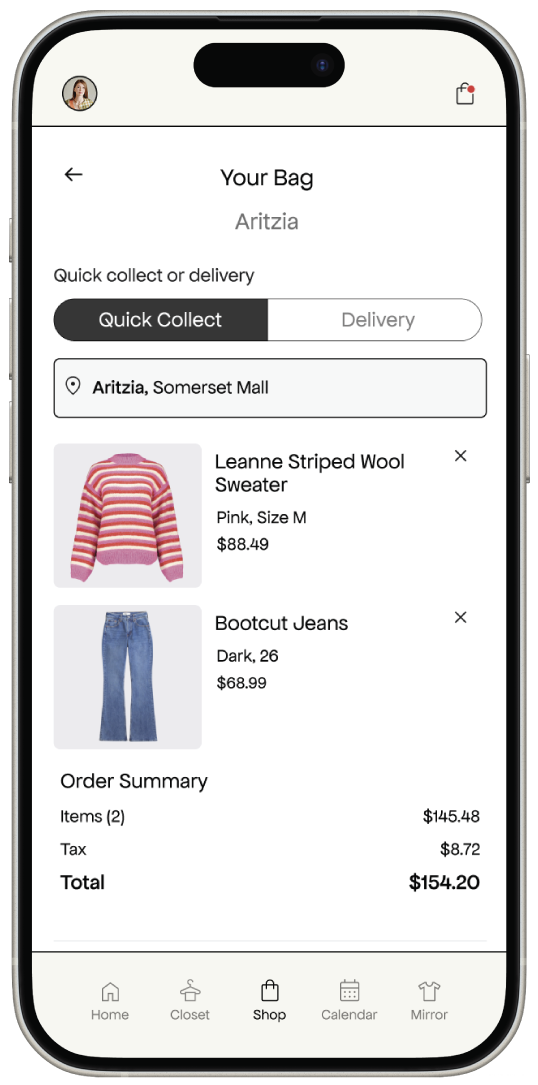
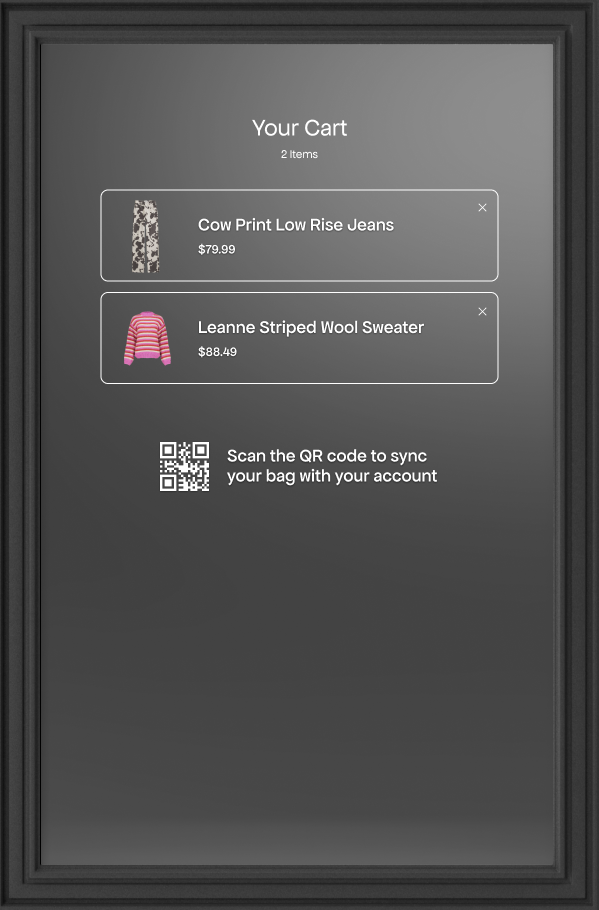
The solution was the QR code handoff. At the end of a try-on session, the mirror generates a QR code. The shopper scans it with their phone, and checkout completes on their own device, privately, quickly, and without occupying the mirror.

One unexpected finding: gesture navigation, which I expected to be the biggest point of confusion, was actually picked up quickly. Testers found it natural. A good reminder not to make assumptions about your users.

Version 1

What would happen if they had 10 items in their cart? Would they have to scroll a life size screen?

Version 2

the outcome

Completely eliminated the “cart” screen, and moved everything to the mobile experience via QR code

Value for retailers.
Value for shoppers.

person
Consumer Value

Reducing Try-On Friction

TrueStyle streamlines the try-on process through virtual fitting both at home and in-store, helping shoppers make more confident decisions.

  • check Preview complete outfits before purchasing
  • check Explore styles with less financial risk
  • check Preview items on themselves at home or in-store
storefront
Retailer Value

Faster Try-Ons, Better Efficiency

Virtual try-on reduces reliance on fitting rooms, helping shoppers move through the store more efficiently while engaging with more products.

  • check Reduce fitting-room congestion
  • check Increase product engagement
  • check Reduce unnecessary purchases and returns
How TrueStyle makes money

Four revenue streams,
one connected platform

TrueStyle generates revenue from both the retailer (B2B) and the shopper (B2C), creating multiple touchpoints across the in-store and mobile experience.

B2B · Recurring

Hardware Lease

Retailers lease pre-configured smart mirror units rather than purchasing outright, lowering the barrier to entry and creating predictable recurring revenue.

  • No upfront capital for retailers
  • Maintenance & upgrades included
  • Scales with store count
B2B · Subscription

Platform Subscription

Monthly SaaS fee gives retailers access to avatar generation, AR visualization, content management tools, and real-time analytics dashboards.

  • Tiered pricing by store volume
  • Inventory & catalog management
  • Conversion & engagement analytics
B2C · Freemium

Mobile App Premium

The companion app is free to download. Premium unlocks AI styling suggestions, unlimited virtual try-ons, and cross-retailer wardrobe syncing.

  • Free tier drives adoption
  • AI styling & outfit planning
  • Wardrobe sync across stores
B2B · Add-on

Data & Insights

Anonymized, aggregated shopper behavior data — what's tried on, what converts, what's abandoned — sold as premium analytics to retailers and brands.

  • Try-on-to-purchase conversion
  • Style trend forecasting
  • Return risk prediction
Two core B2B streams.
Two growth-stage B2C streams.
Hardware lease and platform subscription anchor early revenue. Mobile premium and data insights scale as adoption grows across retailers and shoppers.

As part of my
Master's Thesis…

route

Refine User Flow

Map and refine the end-to-end journey to ensure try-on and checkout is intuitive, fast, and frictionless.

draw

Rework Interface

Redesign to clearly guide users through gesture-based interactions while remaining minimal and mirror-first.

build

Build Prototype

Using a large-format display, Unity, and C#, build a working AR mirror that overlays virtual clothing on a live camera feed.

science

User Test

Conduct moderated testing sessions to evaluate usability, engagement, and perceived value of the AR try-on experience.

Marketing Video

Produced & edited by Melissa Lisi

Interested in the process? View my process below

Previous
Previous

E-Commerce UX Audit & Redesign (Category) (UX) (Research)

Next
Next

Reframing a B2B Product for D2C (Category) (UI) (Brand) (ECommerce)