The Autonomous College Commute, Reimagined
Designing a shared mobility platform that turns the ride to campus into a social experience for college students.
ScopeUX · Research · UI · User Testing
toolsFigma · OpenAI



01 — Research
Learning from students,
not assumptions.
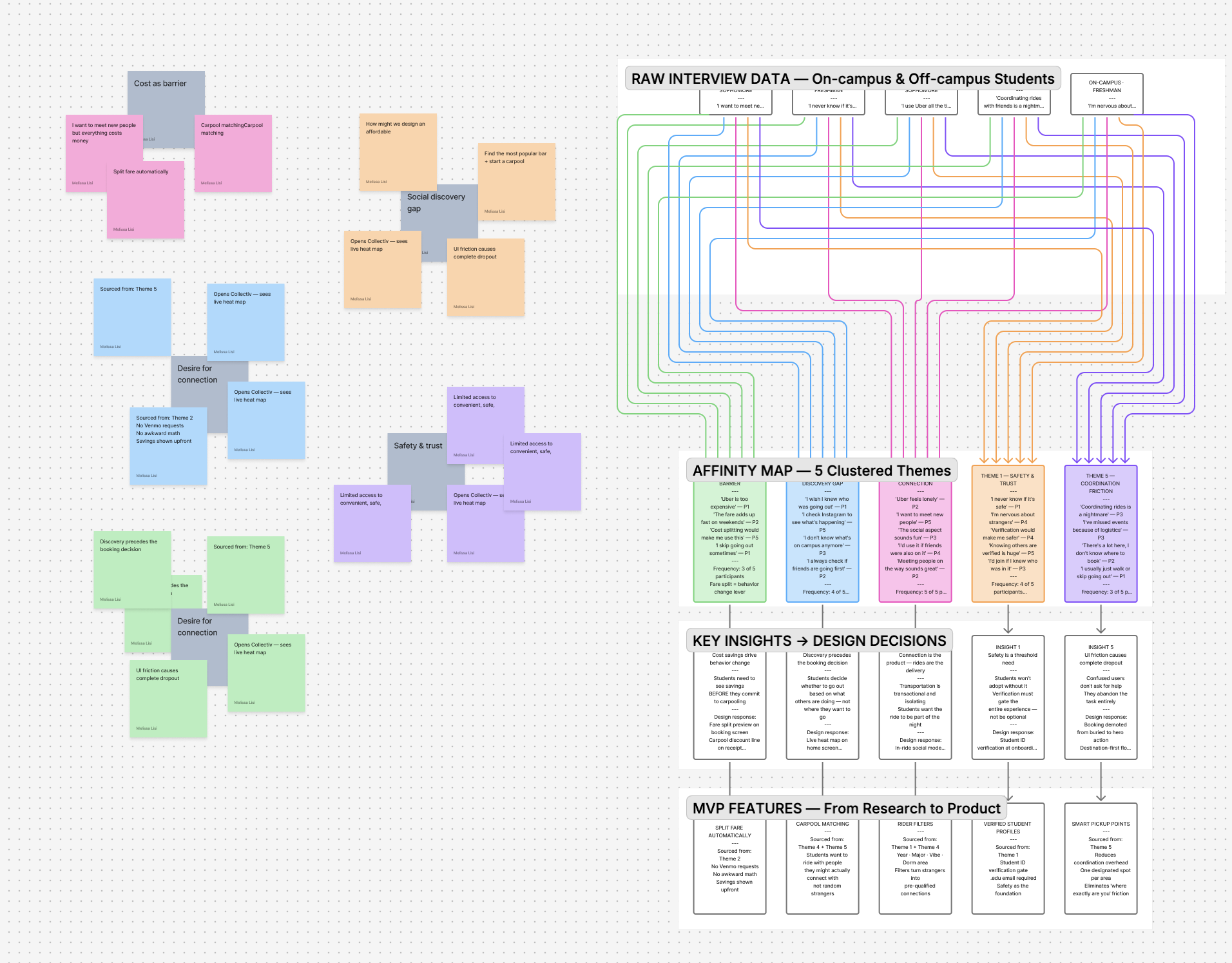
Before defining a solution, I conducted interviews with three college students, both on and off campus, to understand how they navigate transportation during social outings.
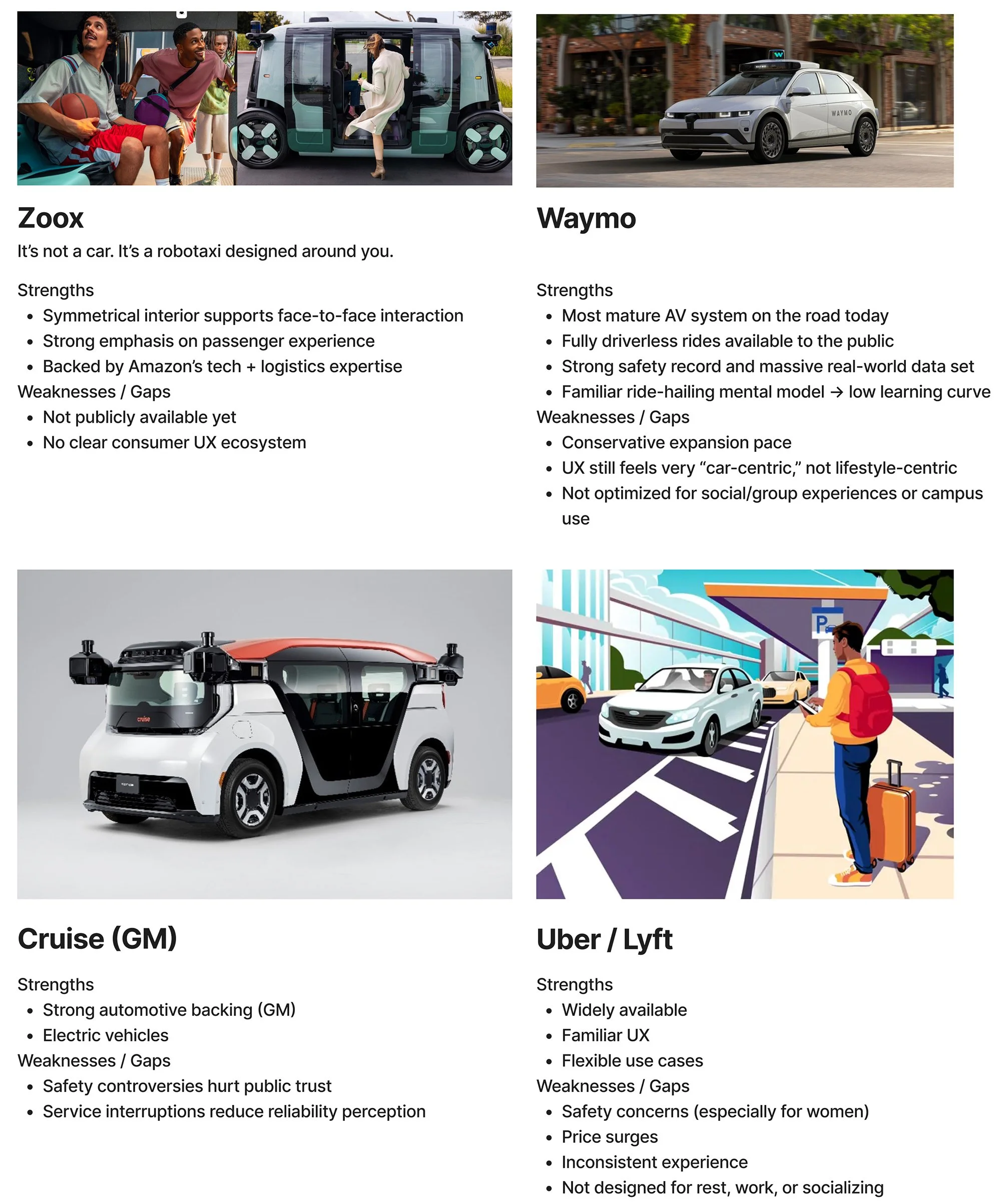
I benchmarked existing ridesharing apps and autonomous robotaxi services to understand common booking patterns, navigation structures, and trust signals. After gathering insights, I synthesized research into key themes and mapped user journeys to visualize how students plan, coordinate, and experience getting around at night.
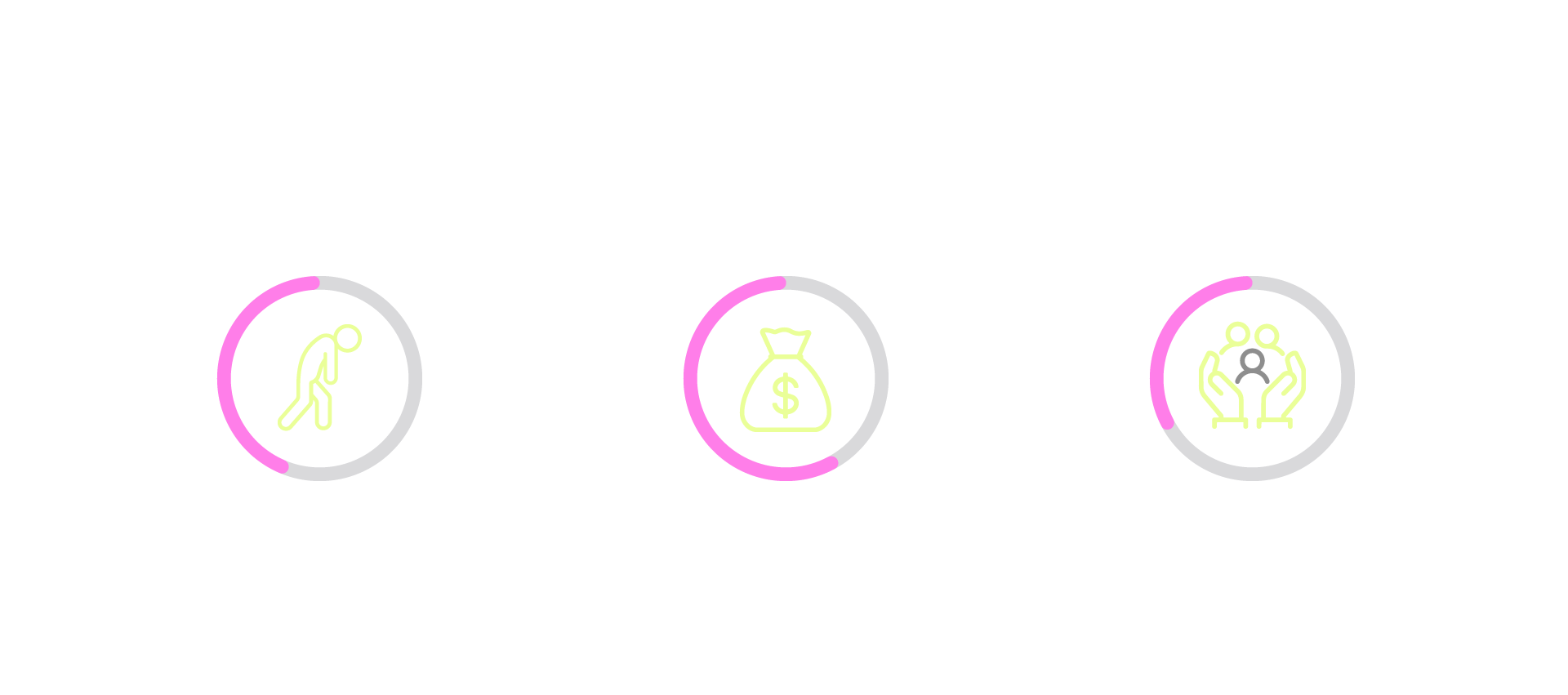
Three themes emerged from research.
After affinity clustering, three patterns rose clearly to the surface, each pointing to the same gap: existing transportation does nothing to support the social experience around it.
Safety concerns drives avoidance
Students, especially women and first-years, avoided late-night rides or relied on friends because they couldn't trust who they'd be sharing a car with.
"I just don't feel comfortable getting in a car with random people."
Rides feel isolating & transactional
Students described existing rideshare as something to endure, not enjoy. The ride was dead time with no connection.
"It's just you sitting in the back in silence. There's no reason to talk to anyone."
Students want to coordinate, not just commute
Students wanted to see where others were going and naturally ride with people heading the same way, especially to popular destinations.
"I wish I could just see who else is going out and where..."
Transportation is transactional & isolating. It doesn't have to be.
Limited access to convenient, safe, and affordable transportation can prevent college students from attending social activities, making it harder to connect with peers and feel part of their campus community.
Existing ride-share services move people from A to B. They rarely address the social experience. Students, especially freshmen and those living off campus, expressed feeling isolated during the very moments meant to bring them together.
"Design an affordable shared mobility experience that helps college students feel connected and part of a community?"
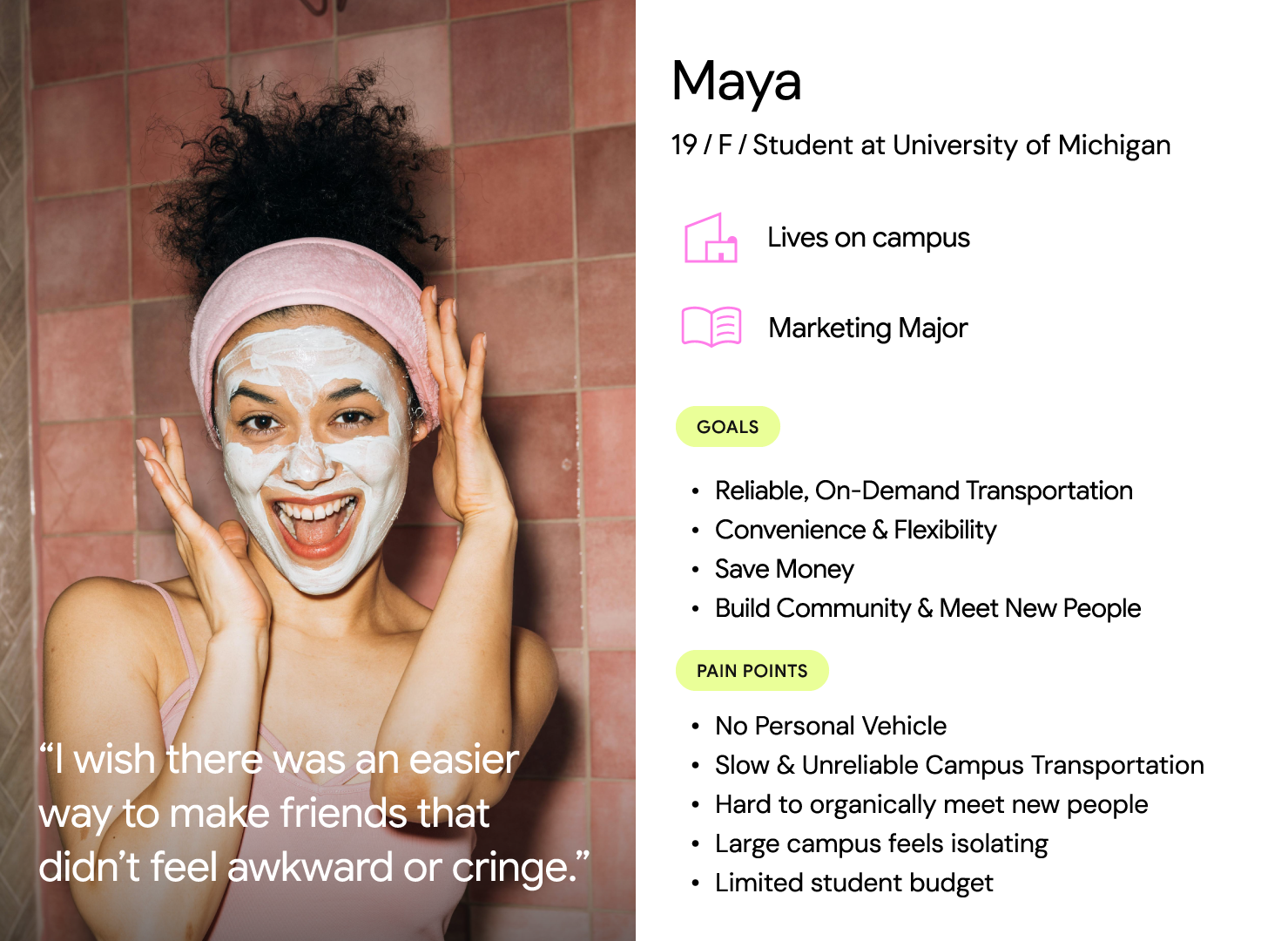
03 - primary user
04 - Feature Prioritization
MVP features, chosen by evidence.
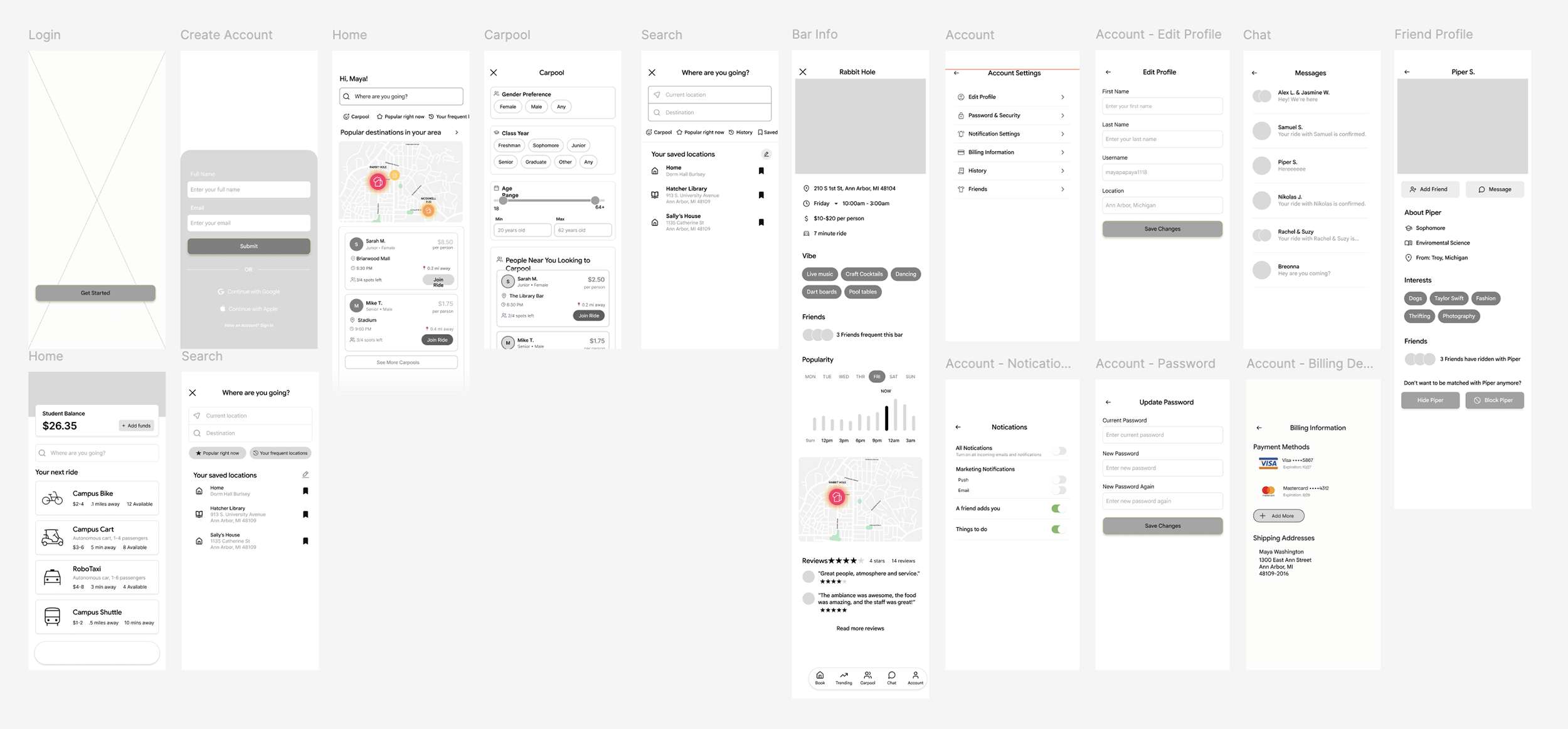
From the prioritization matrix, I identified the core features needed for the minimum viable product, balancing user desire, technical feasibility, and impact on community connection.

Automatically connect students heading the same direction at the same time.
Choose who you ride with: gender or year to create a safe environment.
No awkward Venmo requests. Fare splits in-app the moment the ride ends.
Campus email verification builds trust and keeps the community safe.
Optimized pickup locations reduce wait times and improve logistics.
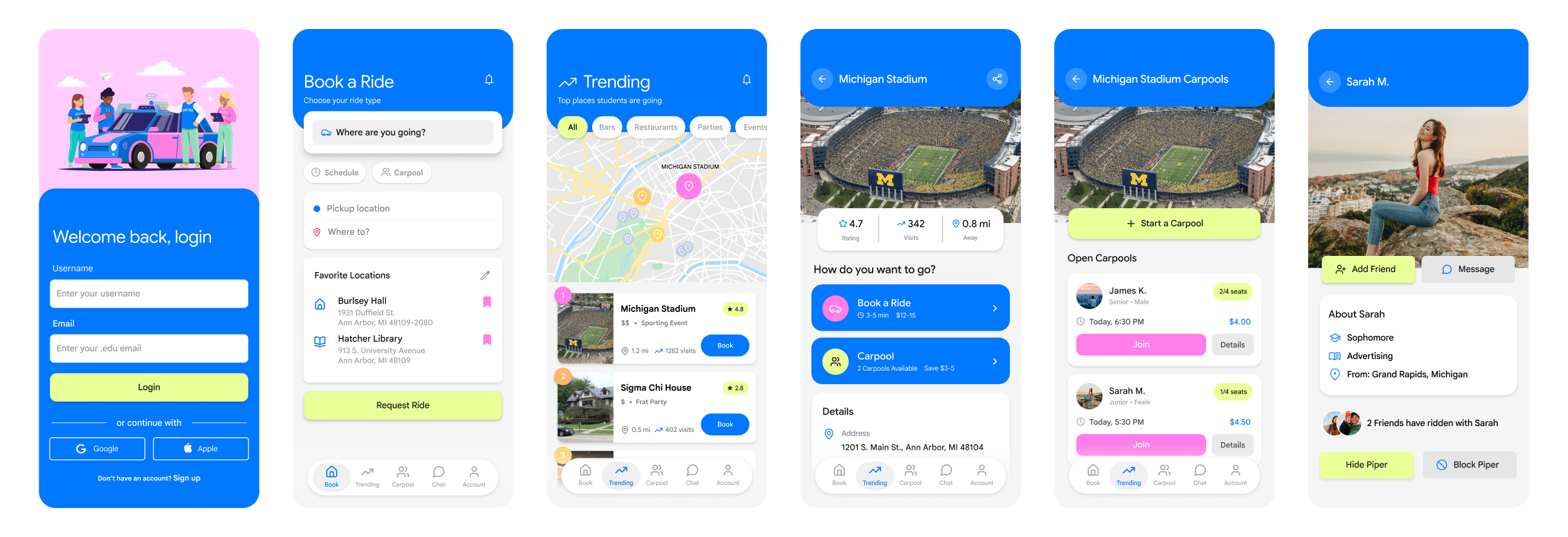
Mid-Fidelity Mobile Wireframes
05 - Storyboard
Maya's first Friday night out.
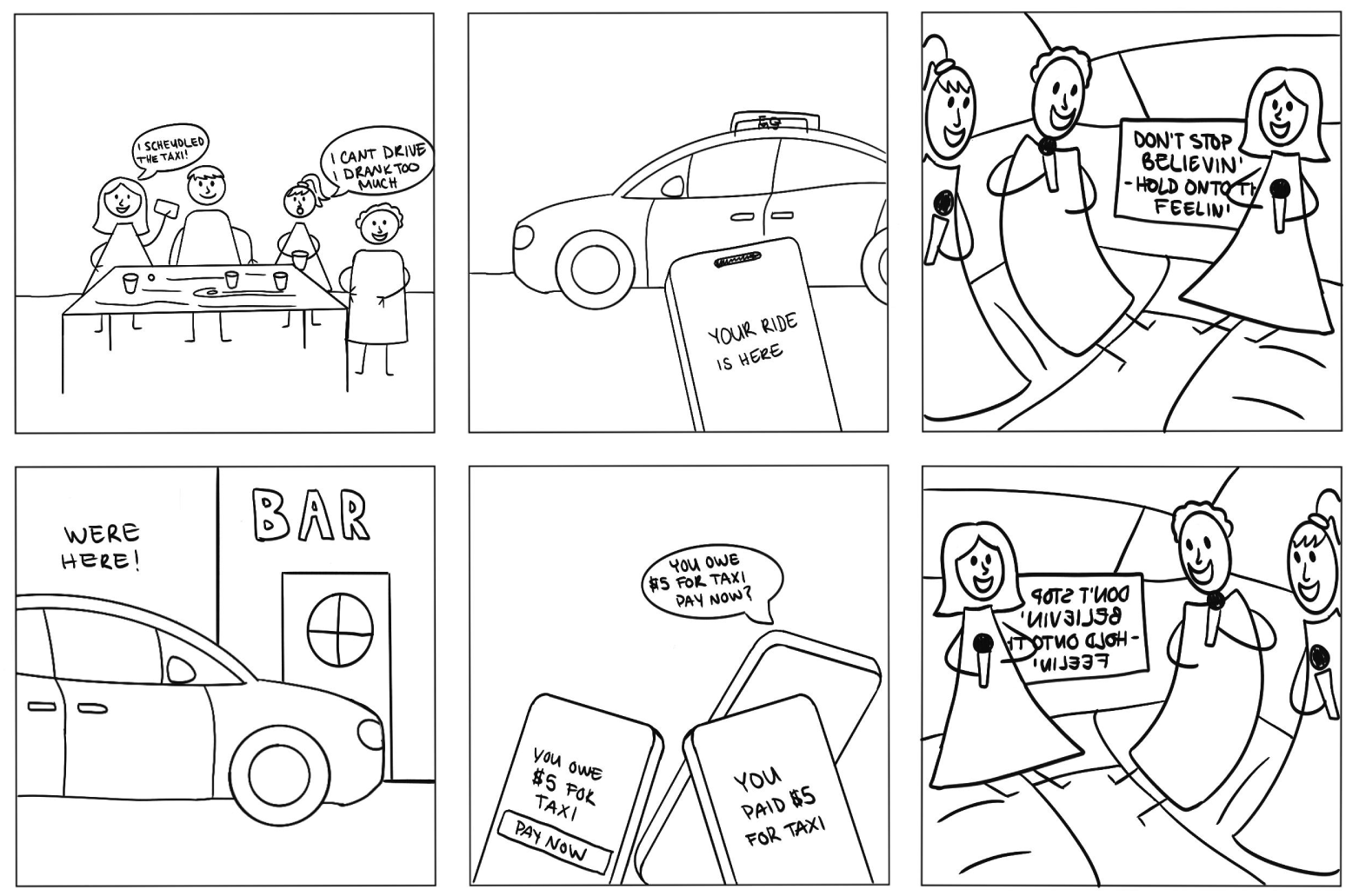
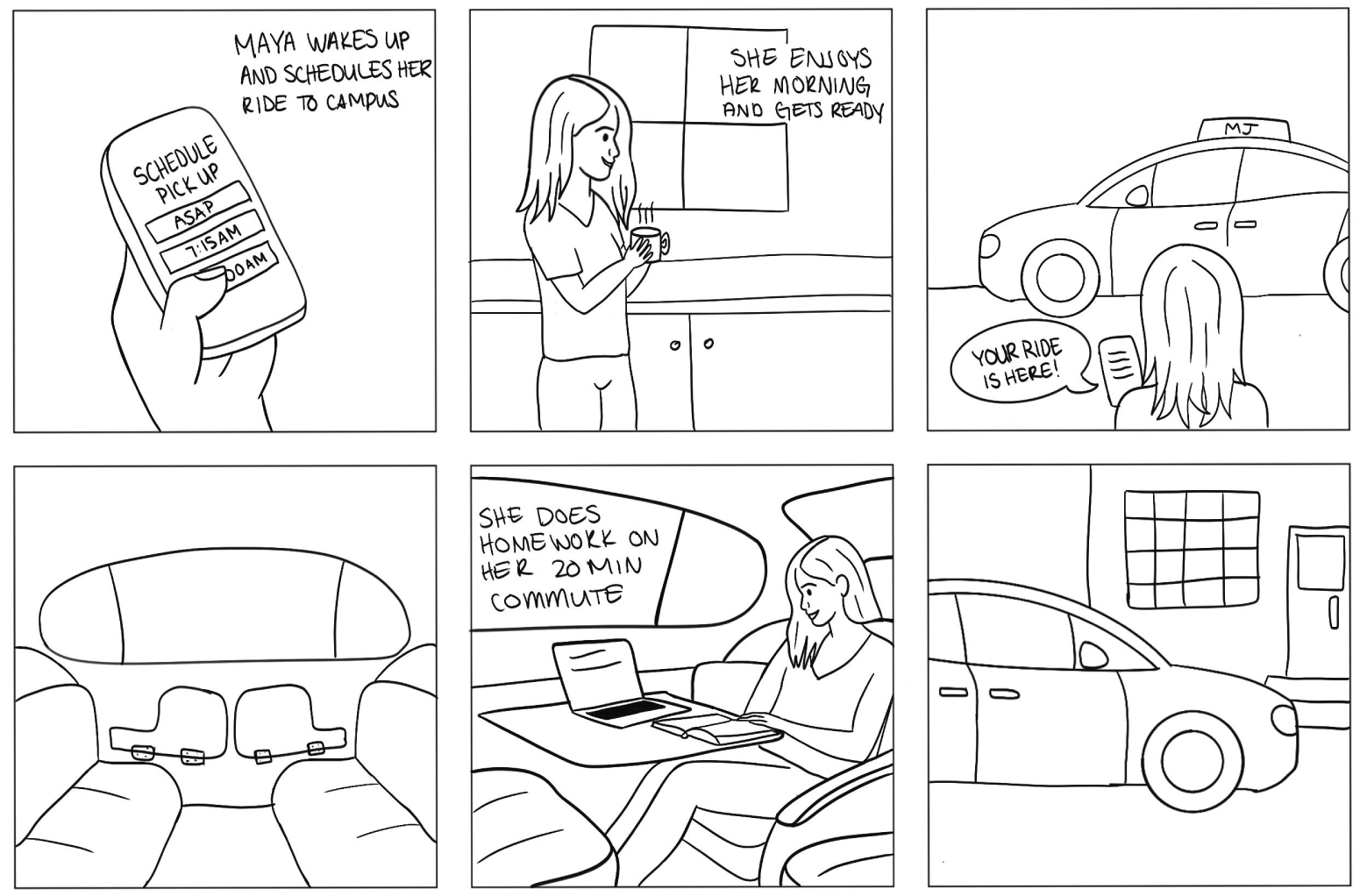
To ground the concept in a real human story, I created a storyboard following Maya, a first-year student navigating her first social outing. The narrative shows how Collectiv transforms an anxious, isolating commute into a confident, connected evening.

It's Maya's first weekend in the dorms. She and her roommate want to go out, but feel disconnected from the rest of the students.

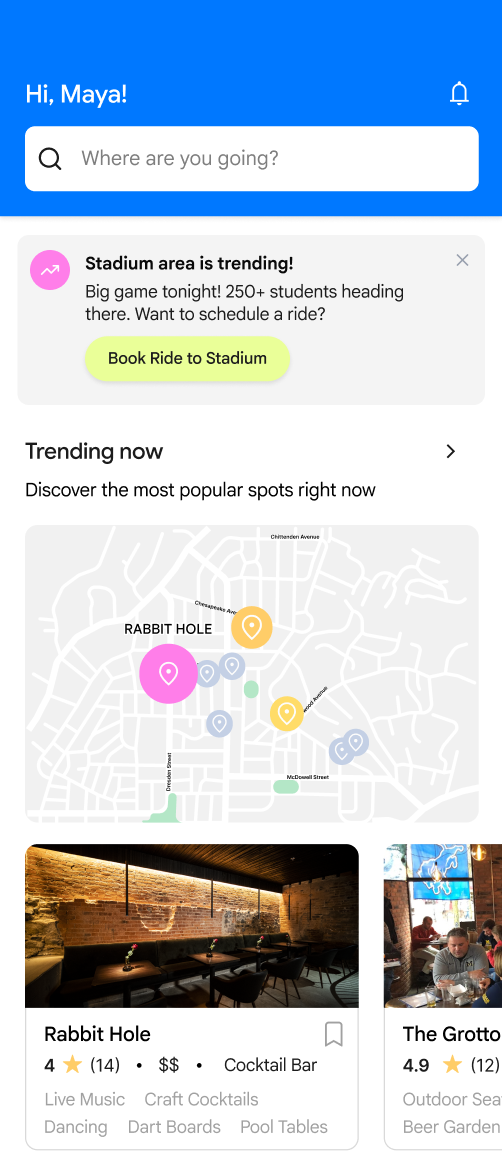
Maya opens Collectiv and sees a live heat map showing where students are heading tonight.

She books a carpool and applies filters to choose the types of students she'd like to ride with.
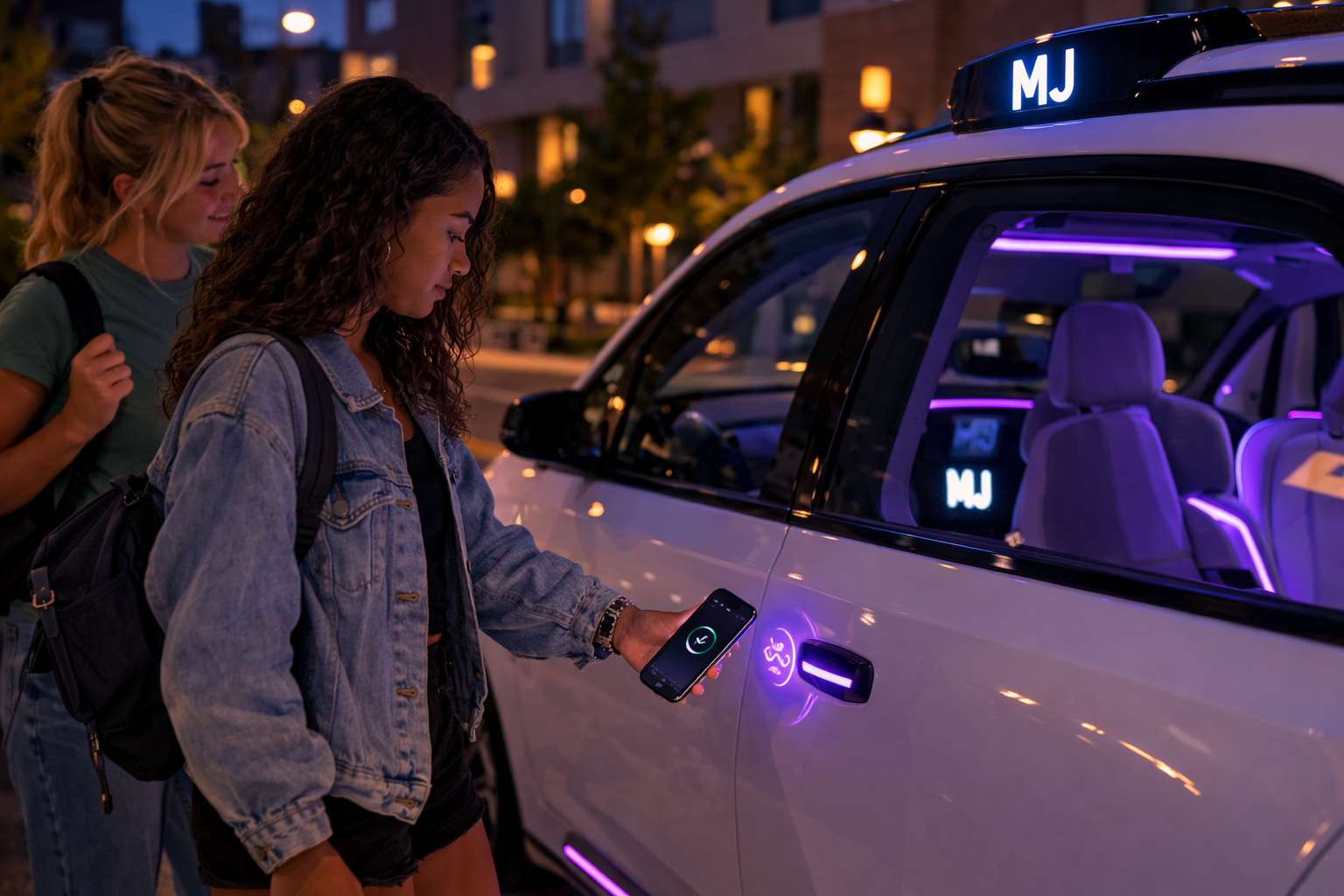
The autonomous vehicle arrives at the dorm entrance and Maya uses the app to unlock the car, a built-in safety feature giving students full control.

Maya and Alyssa enter the vehicle and begin their journey to pick up the other carpoolers.

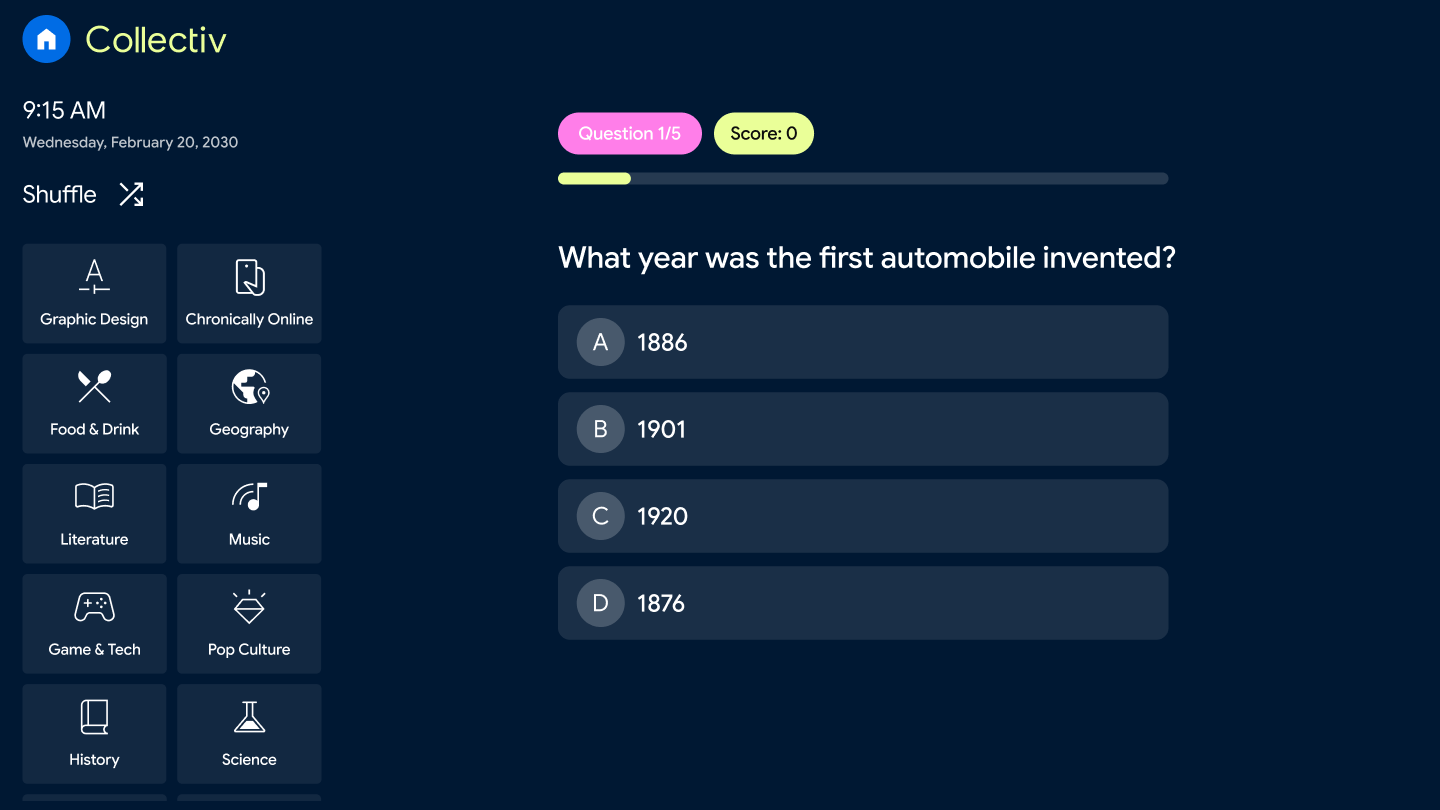
The students play trivia to break the ice, what could have been an awkward ride becomes a fun game.
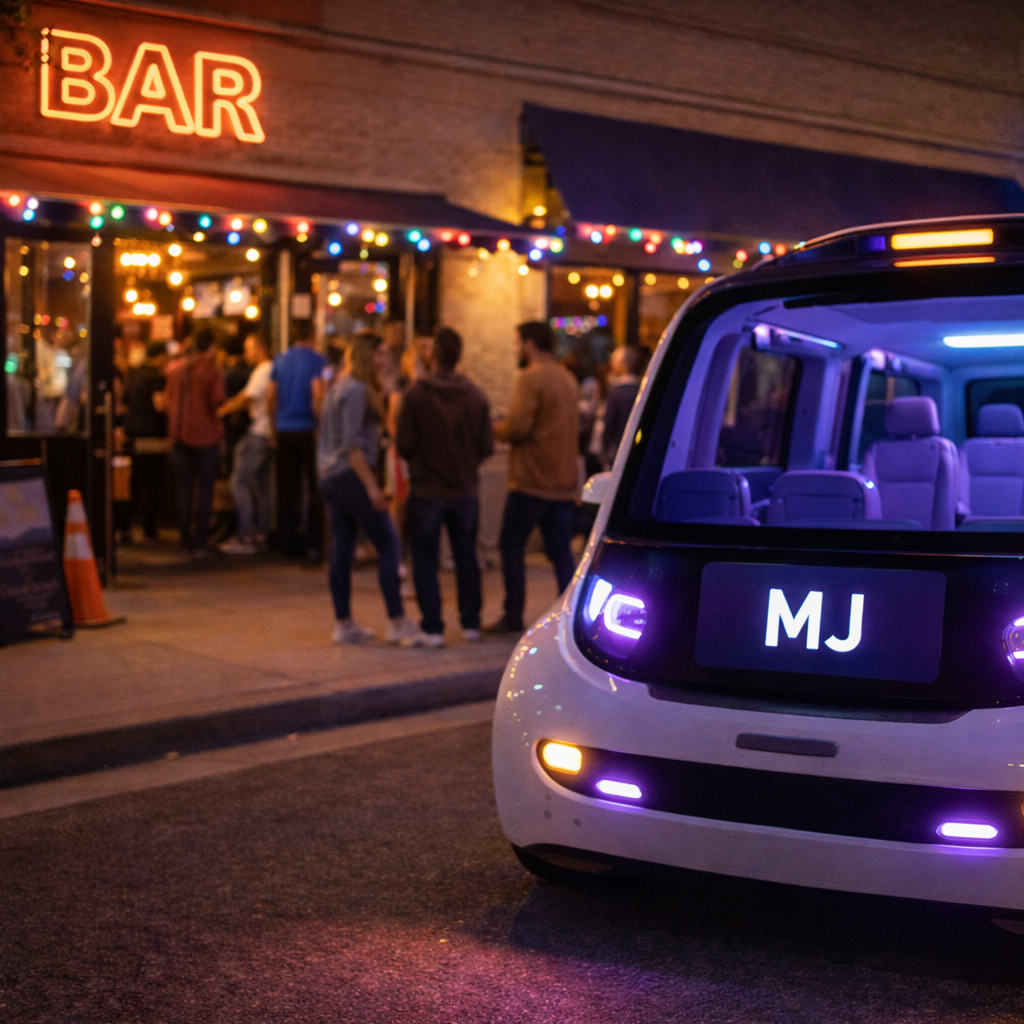
The AV drops them off at the bar, four strangers, now a group.

At the end of the night, they reconnect on the app and share a ride home, where an impromptu karaoke session breaks out.
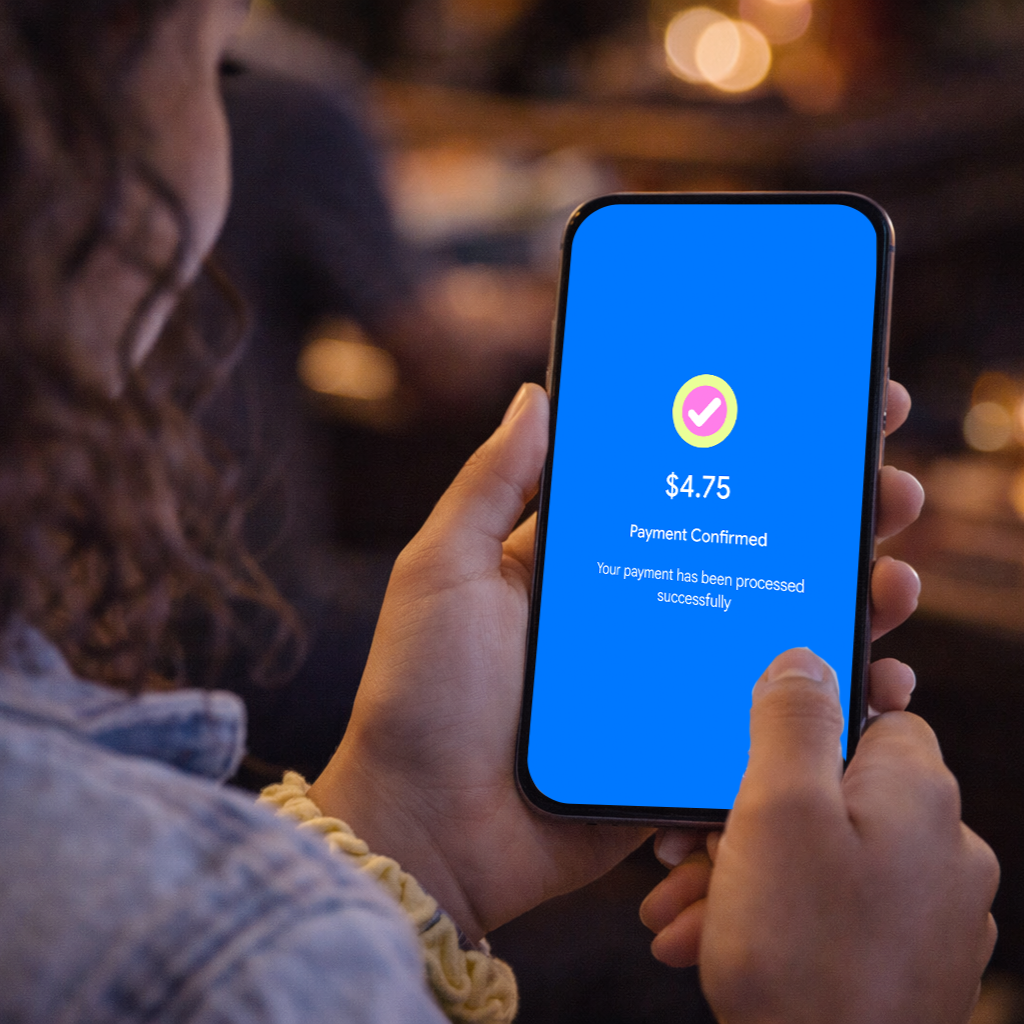
The app splits the fare automatically. No awkward Venmo requests required.
06 - Accessibility
Background Color Refinement
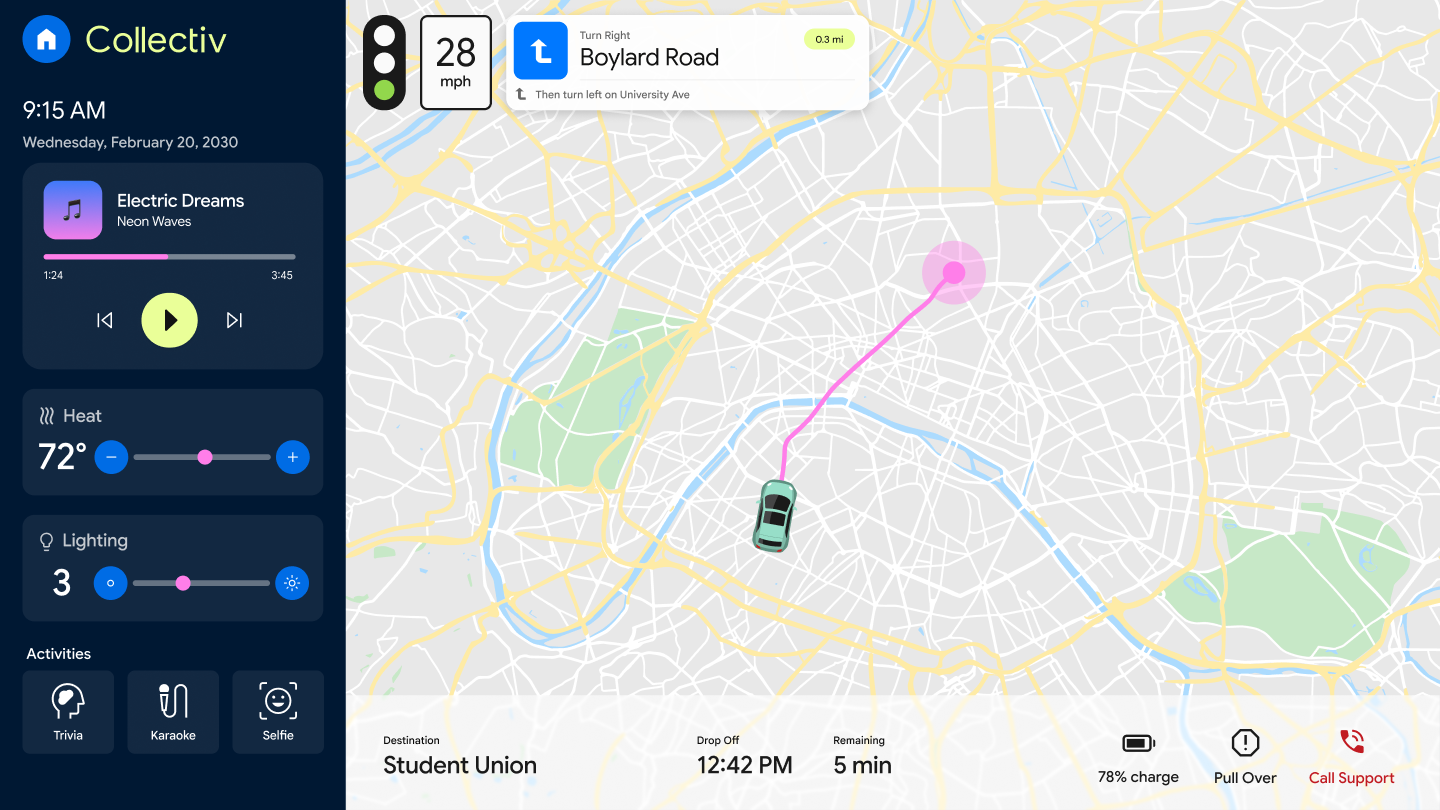
During the design review process, I identified a critical accessibility issue with the original bright blue background. The original bright blue was chosen to mirror the mobile app's brand palette and create visual consistency across surfaces. When tested against WCAG standards, the color failed to meet the AA compliance threshold, meaning the contrast ratio between the background and overlaid text fell below the required 4.5:1 minimum for normal text.
Since the background spans the full page, this issue had a widespread impact on readability for users with low vision, color deficiencies, or those viewing the interface in challenging lighting conditions.
The fix was shifting from the bright blue to a deeper, darker blue. The updated color achieves a contrast ratio of 15:1 against white text, up from 3:1 which comfortably clears even the 7:1 WCAG AAA threshold.
The darker blue would also be less stark and more soothing inside a vehicle, especially at night.
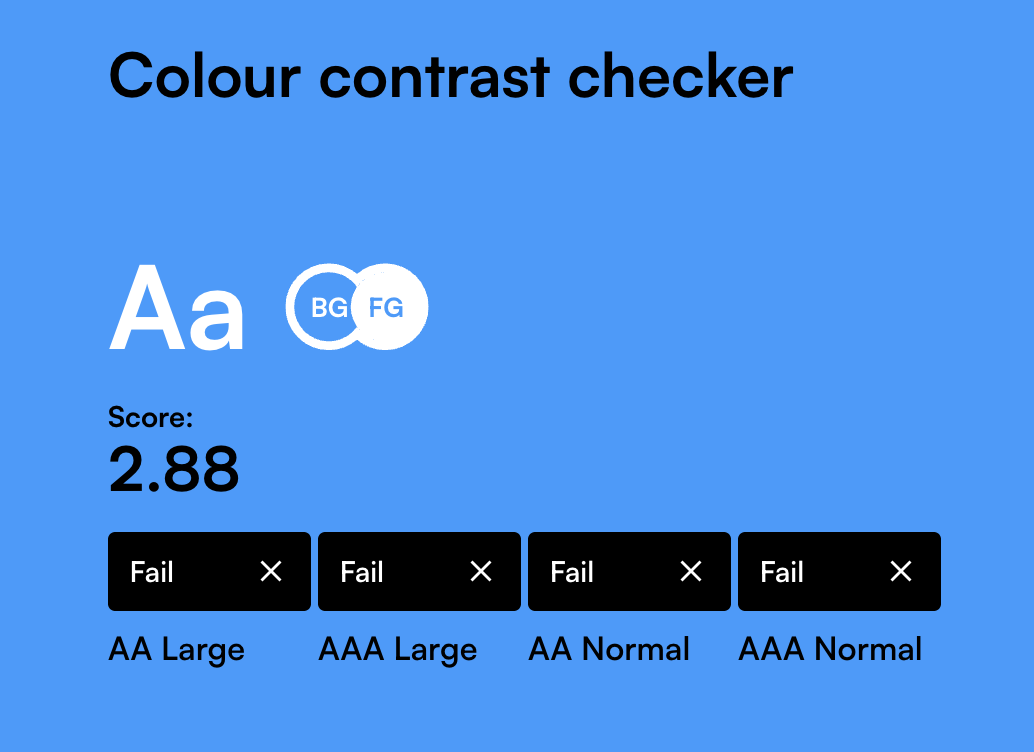
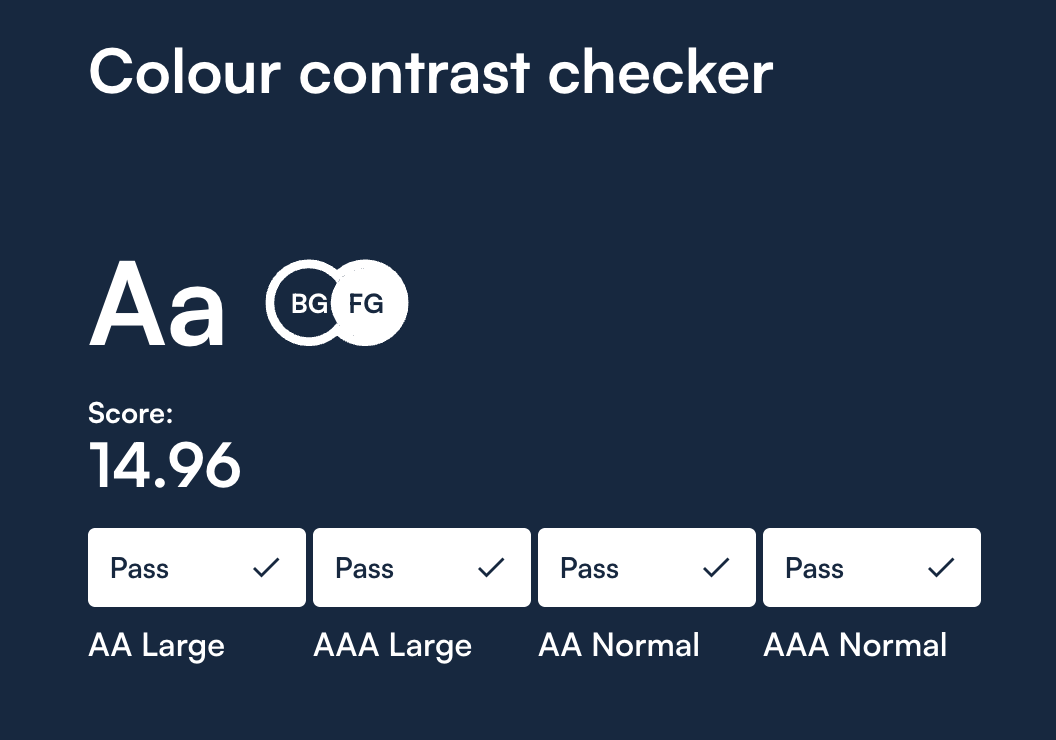
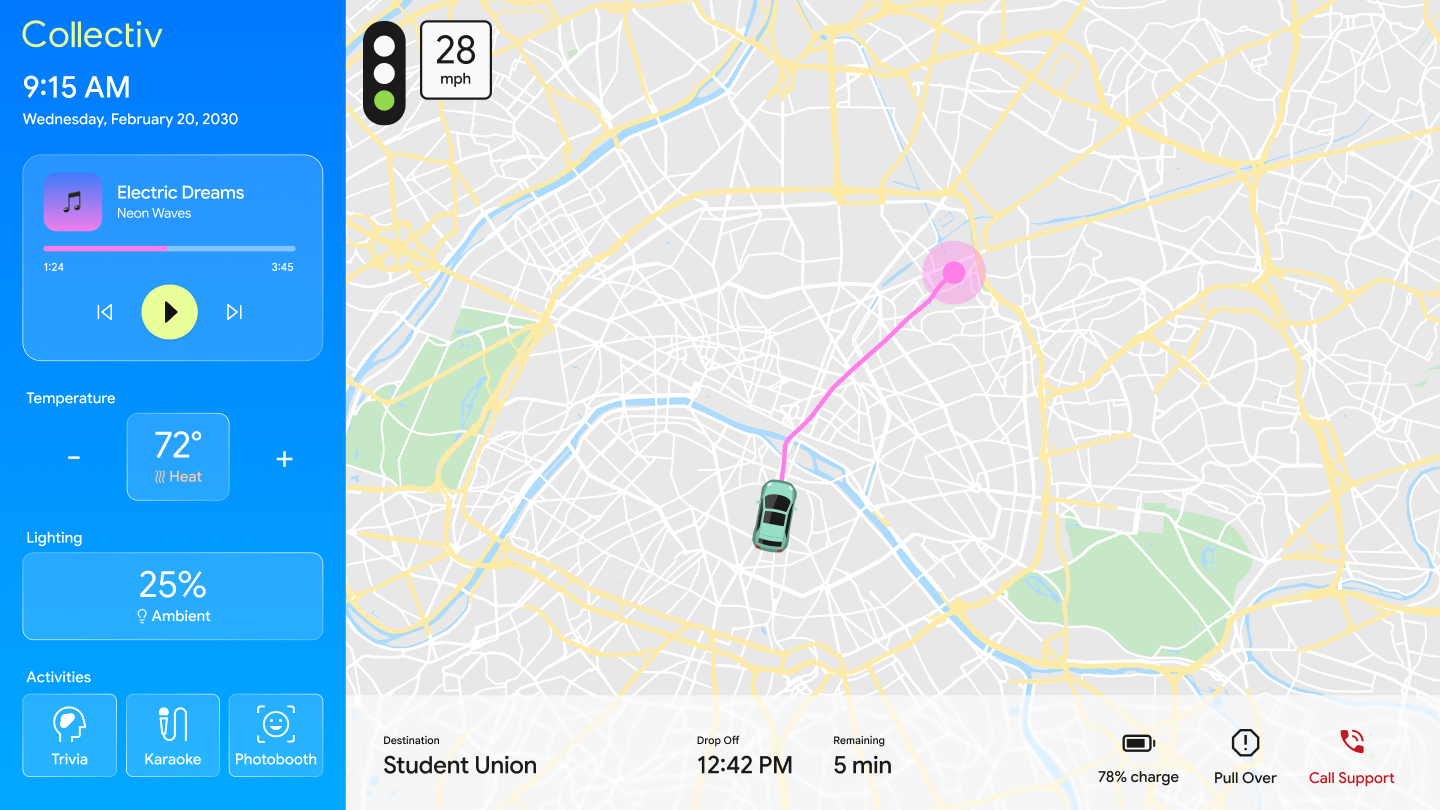
Before & After: WCAG AAA Compliance
07 - User Testing
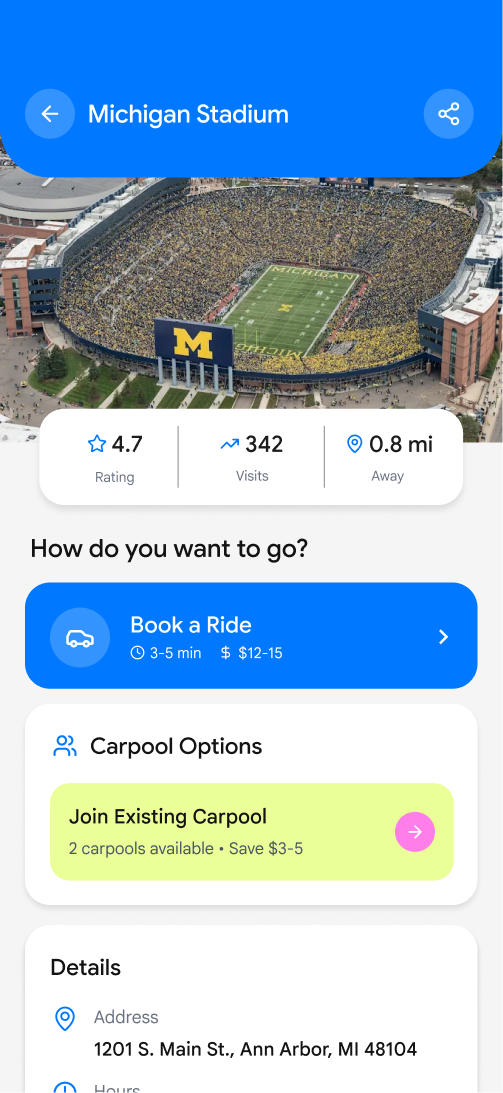
Book a ride to campus
"I'm not sure where to book the ride."
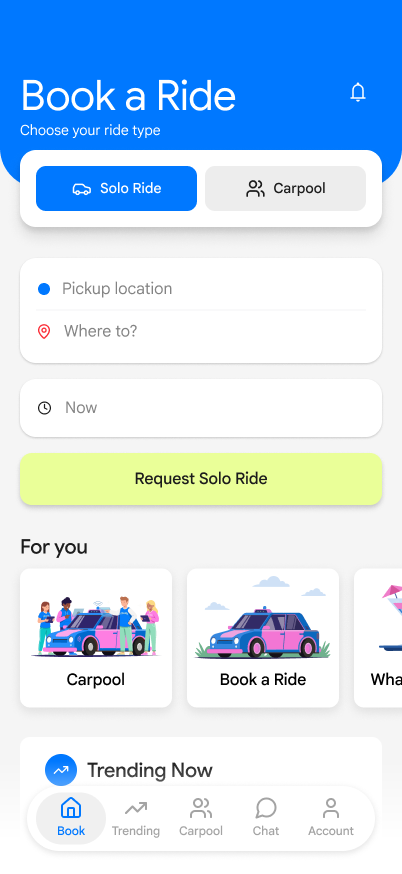
- Surfaced booking at the top of the home screen
- Introduced solo vs. carpool choice upfront
- Removed competing secondary content
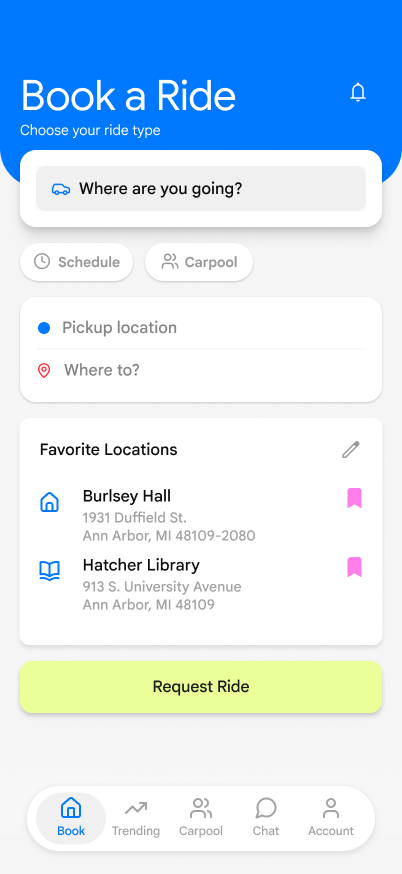
- Destination input as the single primary action
- Ride type decision (solo vs. group) deferred to reduce cognitive load
Find the most popular bar and start a carpool
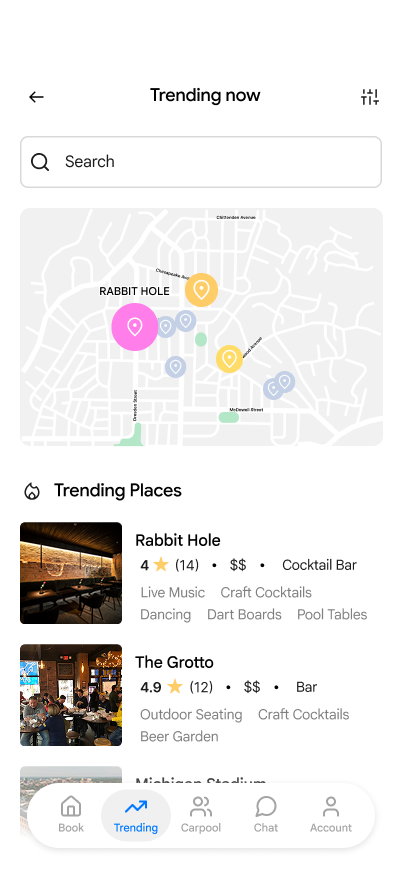
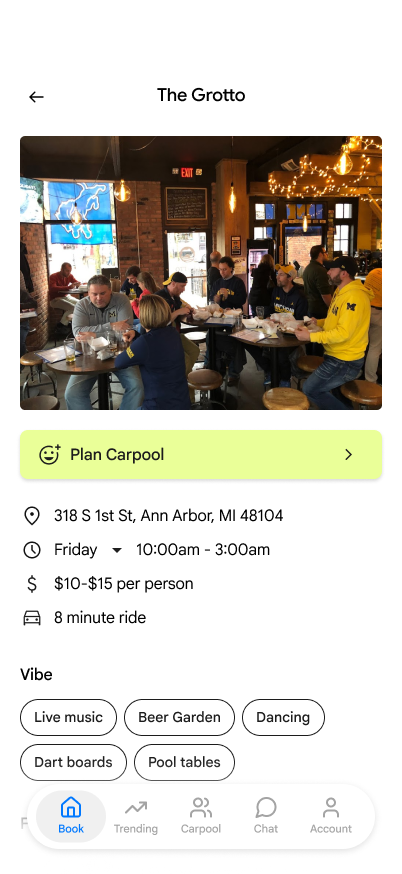
"There's a lot here… I don't know where to actually book."
- Added Book Ride CTAs directly inside location cards
- Reduced non-essential information per screen
- Added filters to help users narrow popular spots
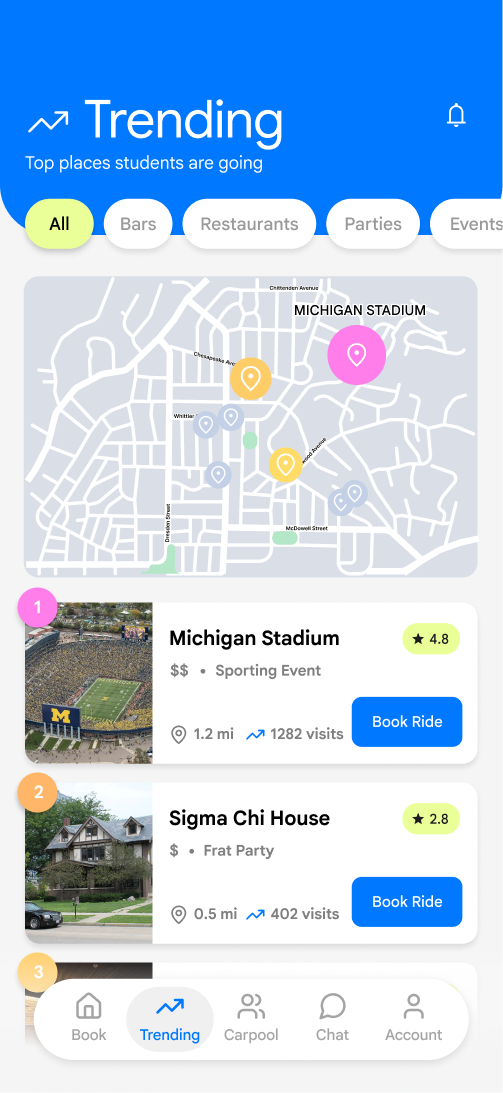

- Made "Book a Ride" and "Book a Carpool" the same visual heirarchy so users could easily decide which path to take
- Clear path from trending location to booking in one tap
- Filters reduced decision fatigue for undecided users
08 — Feature Overview
More than a ride. A better way to go out.
Every feature in Collectiv was designed around one goal, turning isolated commutes into shared moments of connection.

Carpool Matching
Automatically groups students heading to the same destination — no group chat needed.

Rider Filters
Choose who you ride with by year, major, or interests. Connections start before the car arrives.

Split Fare
Automatic fare splitting the moment the ride ends. No awkward Venmo requests.

Verified Profiles
Campus email verification ensures every rider is a real student.

Smart Pickup
Optimized pickup points reduce wait times across dorms and campus lots.
In-Ride Social
Trivia, icebreakers, and playlists turn backseat silence into the first moment of the night.

Trending Destinations
A live heat map shows where students are heading tonight.
09 — In-Vehicle UI
The ride is the experience.
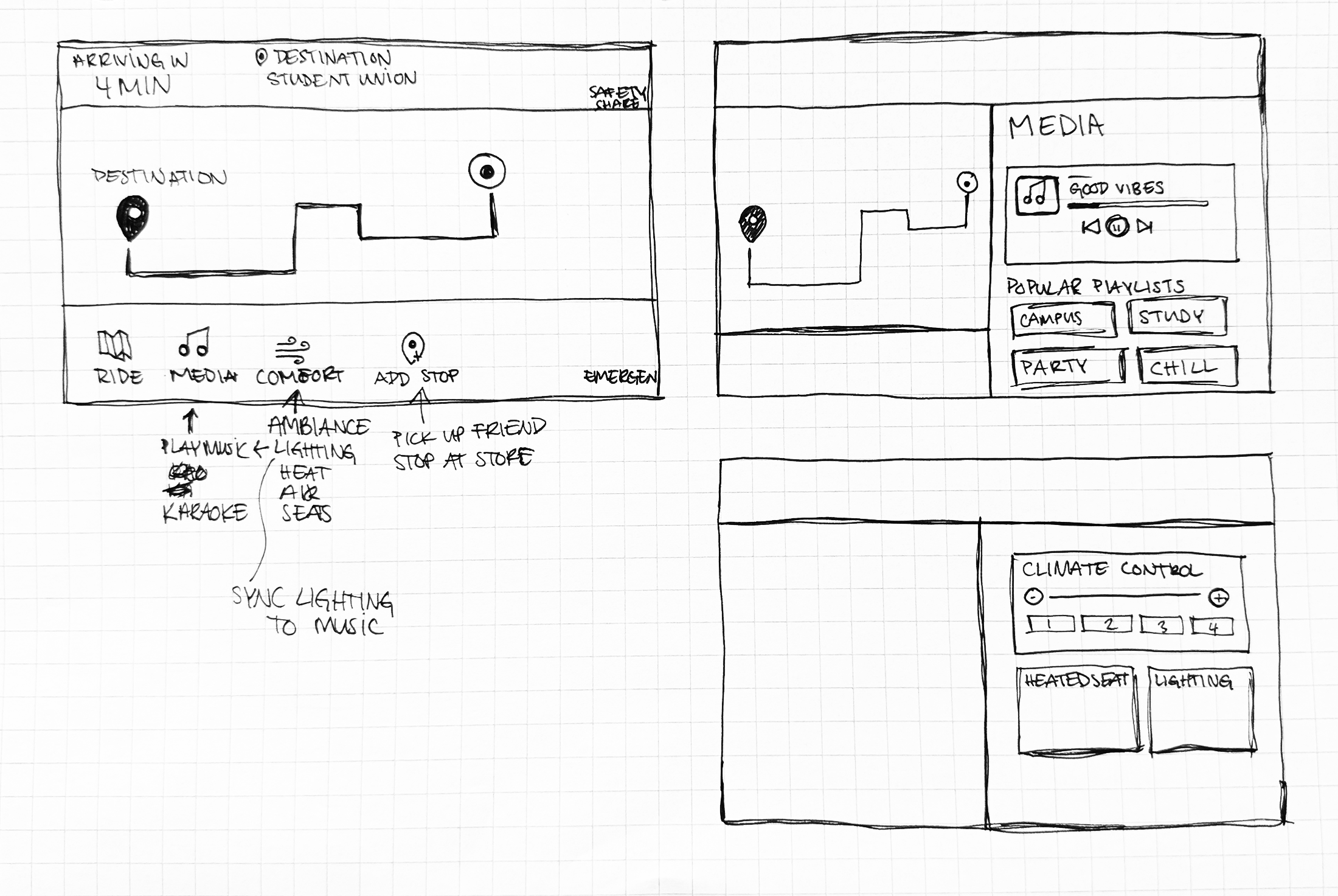
Collectiv's in-vehicle interface transforms the car into a shared space — with activities, music, and smart ride controls built right in.

Everything at a glance
Navigation, music, climate, lighting, and in-ride activities — all accessible from one central hub designed for the vehicle environment.

Welcome Aboard
Riders are greeted by name the moment they get in, with destination and fellow passengers confirmed at a glance.

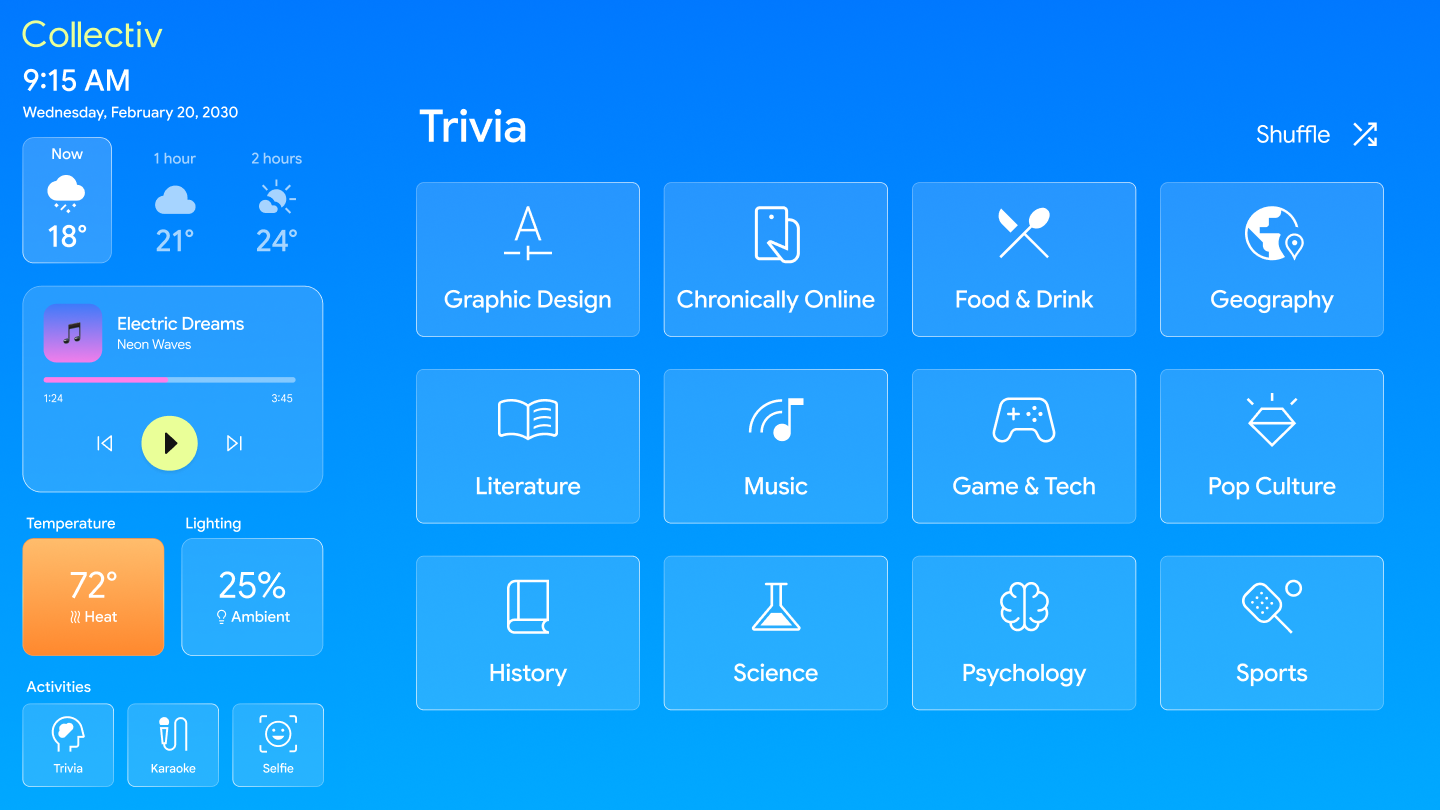
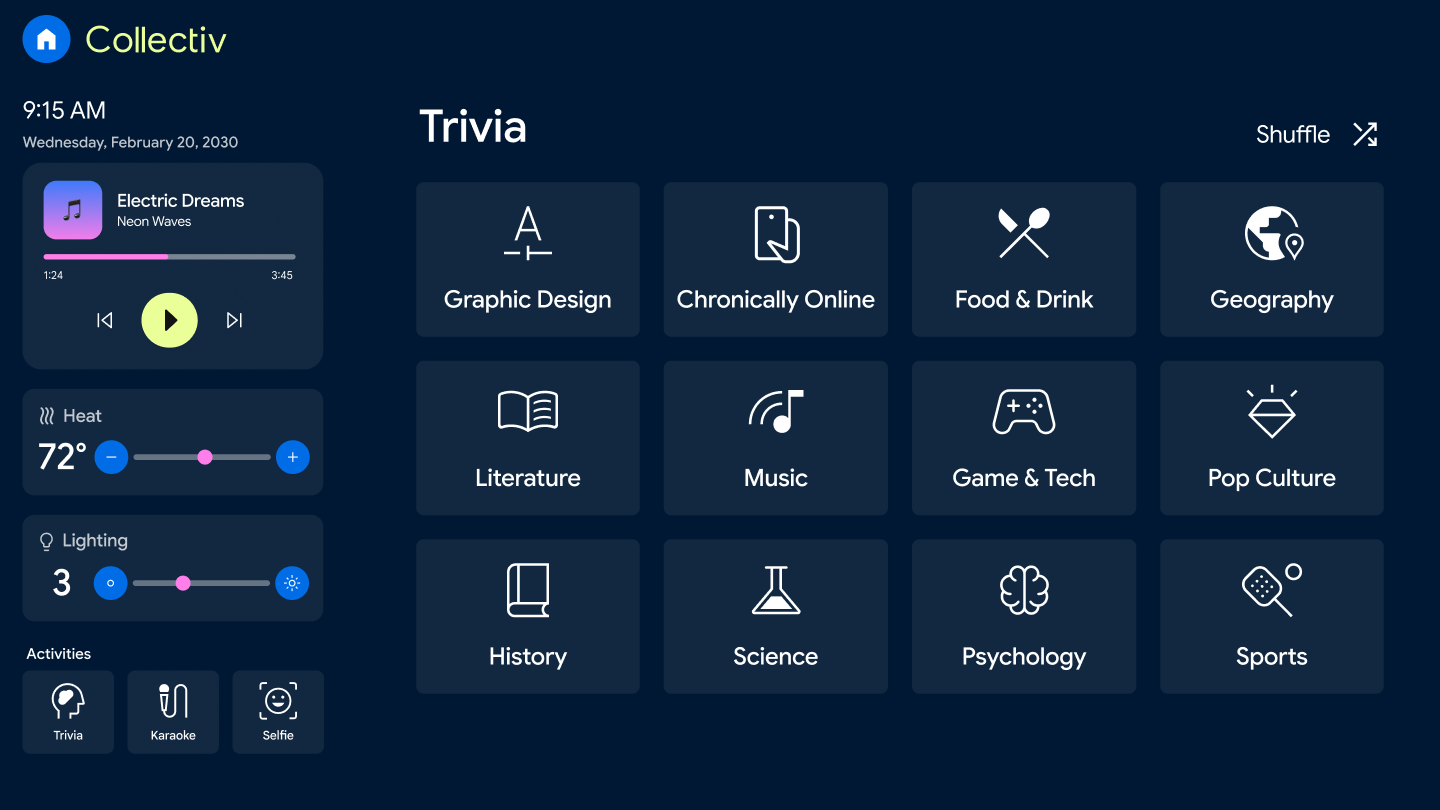
Trivia Categories
Pick a topic and challenge your fellow riders — from pop culture to geography, the whole car plays together.

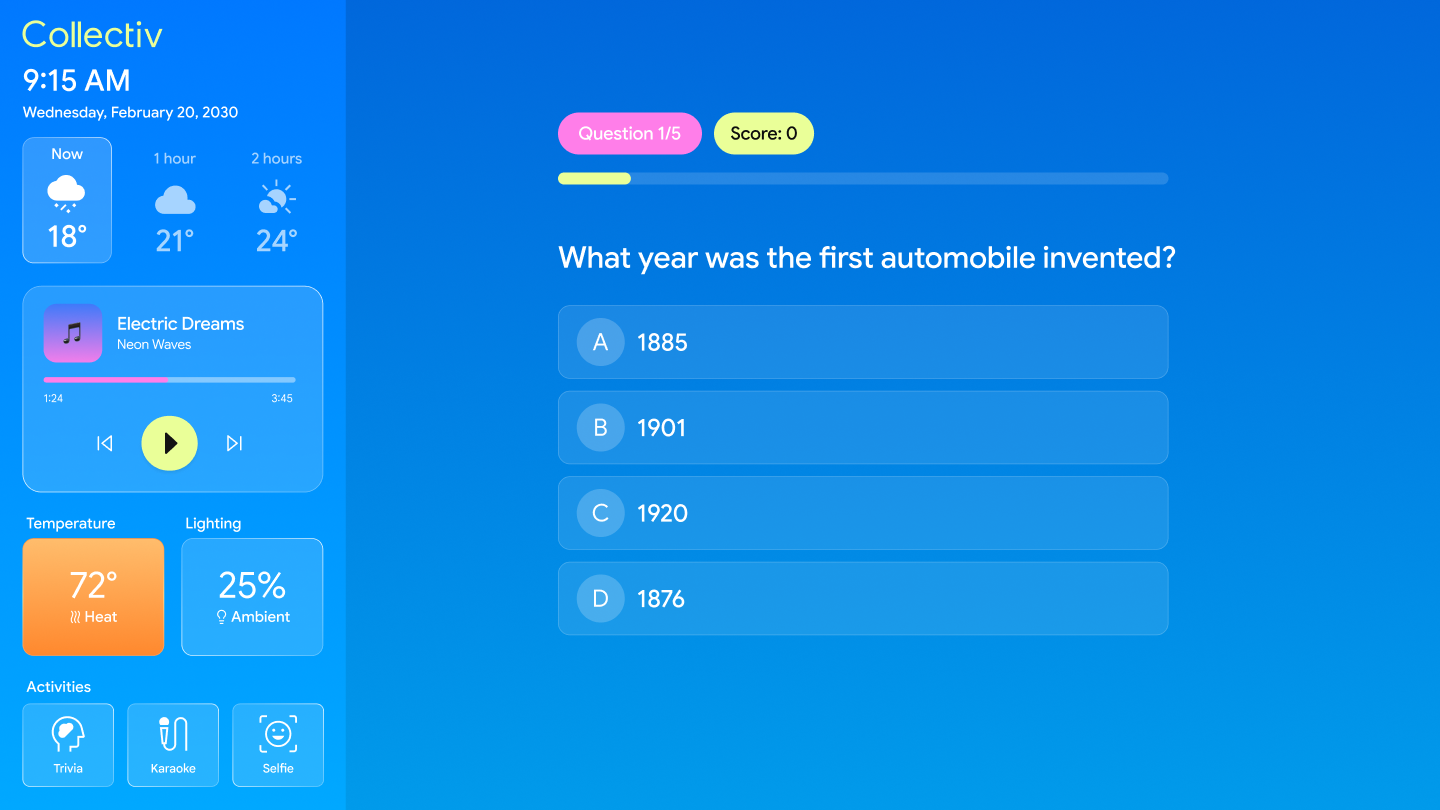
Live Trivia
Multiple choice questions with a live score tracker keep everyone engaged for the duration of the ride.

Karaoke — Song Select
Browse and queue songs by category. Top Hits, Throwbacks, Party — everyone gets a pick.

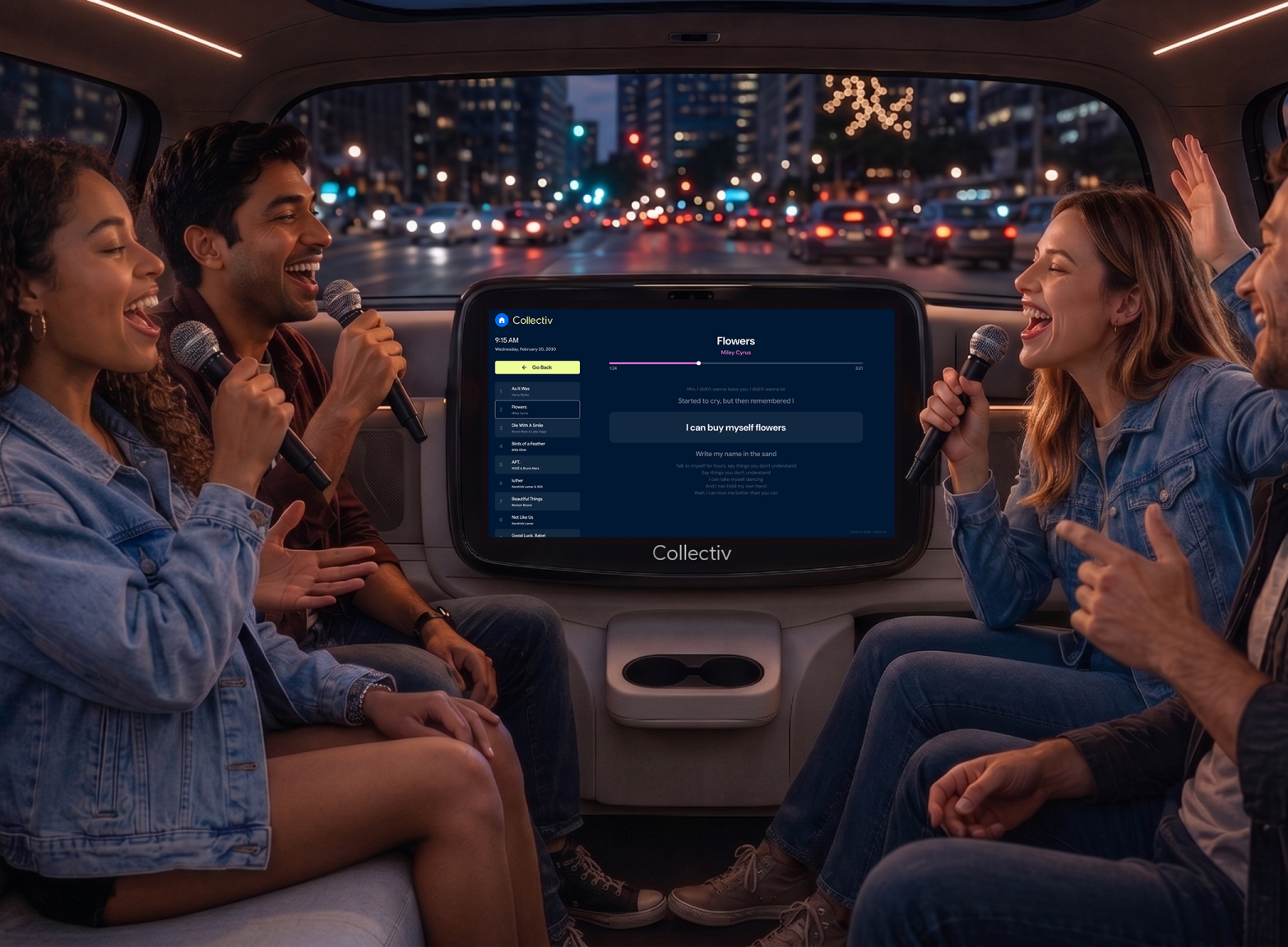
Karaoke — Now Playing
Lyrics display in sync with the track. The car becomes a stage.

In-Ride Photobooth
Filters, a countdown, and a built-in camera turn the backseat into a photo moment worth keeping.

End of Ride
Distance, trip time, and arrival confirmation displayed clearly. Clean and calm — the ride is done.

Emergency Pull Over
One-tap pull-over request with real-time status updates and direct access to support — safety built into the ride.
10 - Design System
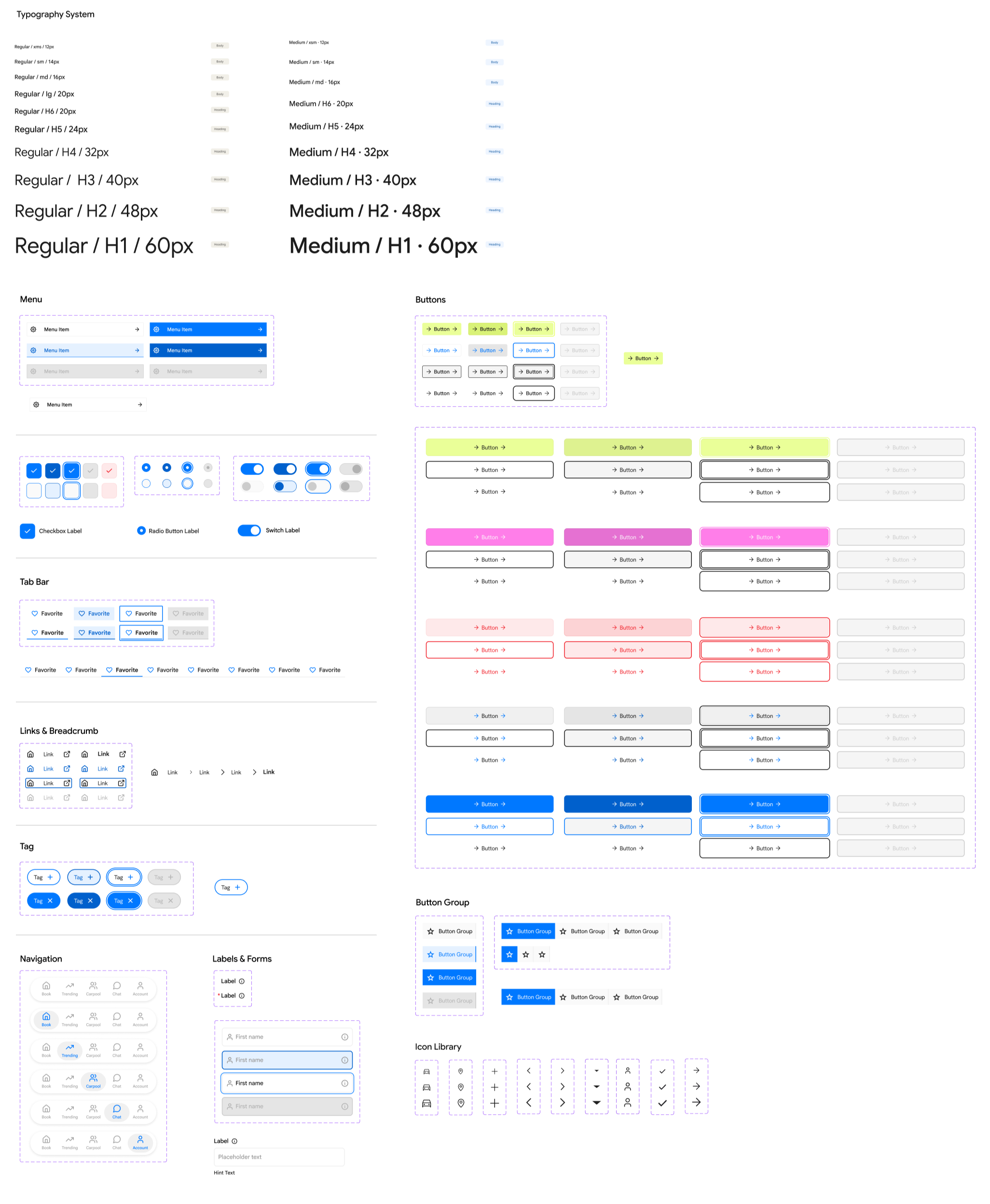
Collectiv Design System
Color System
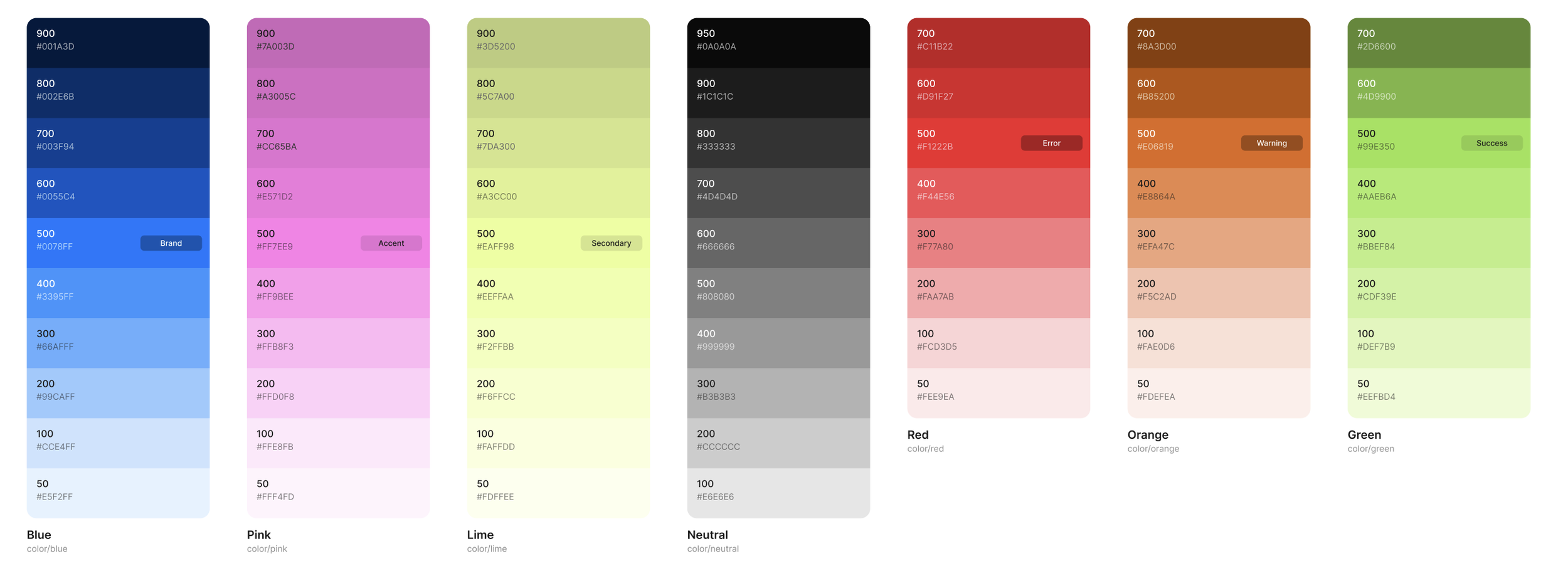
I start my design system with brand and system colors. Starting my Primitive Collection and using the 100 scale which makes it easily scaleable, if I ever needed to add in another color I can add it as 25 or 450, for example.
Once my Primitive tokens are established, I assign each primitive token as an alias, and assign it a semantic role. From there mapped to semantic tokens, assigning each color a specific UI role such as headings, warnings, or card backgrounds. This three-tier structure keeps the system flexible, consistent, and easy to maintain as the product evolves.