Product Design
2.0
Reducing the Cognitive Load
ROleUX · UI · Product · Research
ToolsFigma · Unity · Kinect v2 · Claude Code · C#
Timeline3 months
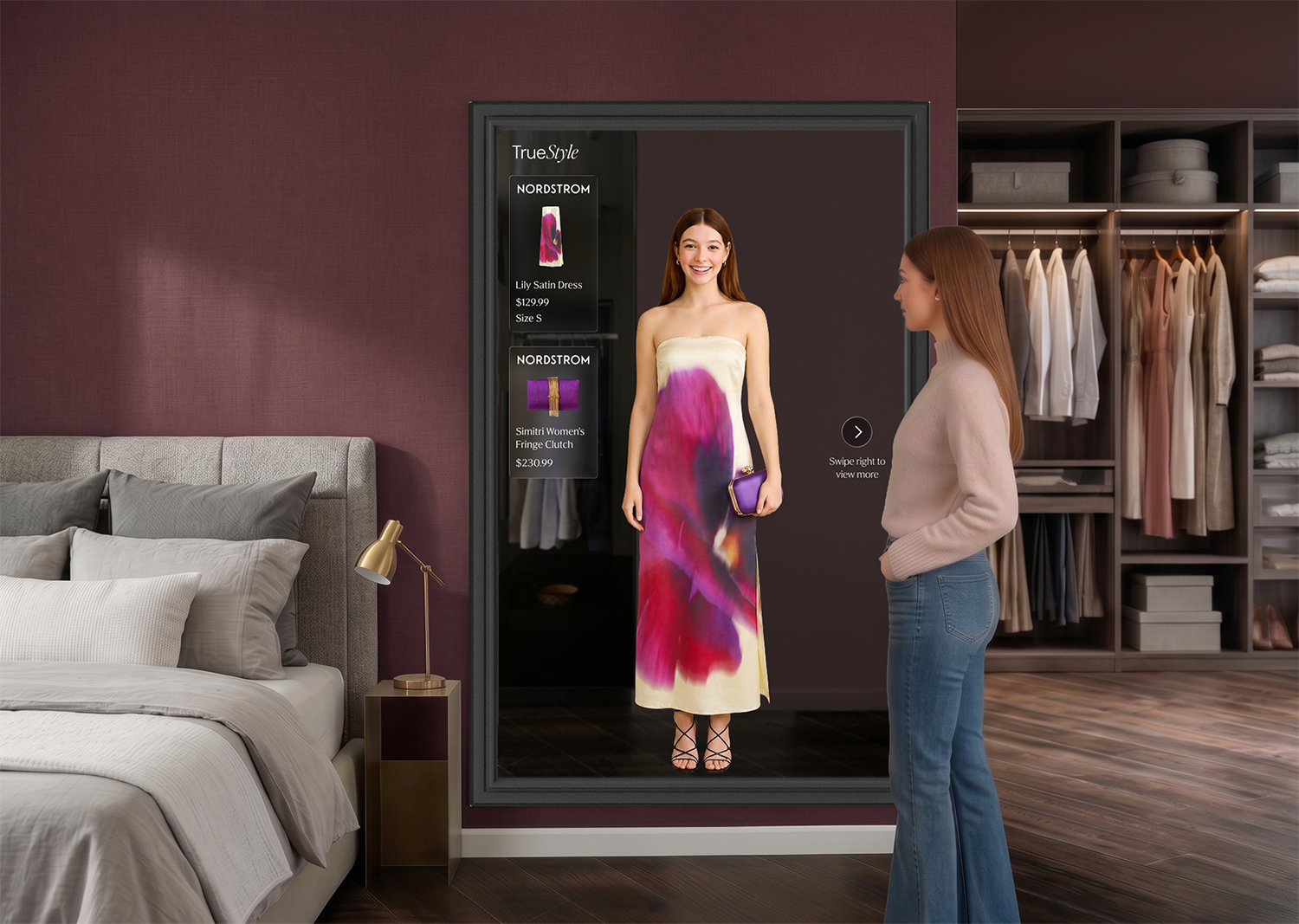
OverviewFrom concept to prototype
TrueStyle 2.0 is my graduate capstone at the College for Creative Studies, a continuation of TrueStyle 1.0 that pushed from concept into two working artifacts: a high-fidelity Figma prototype representing the full product vision, and a physical AR prototype built on real hardware to prove the core mechanic works.
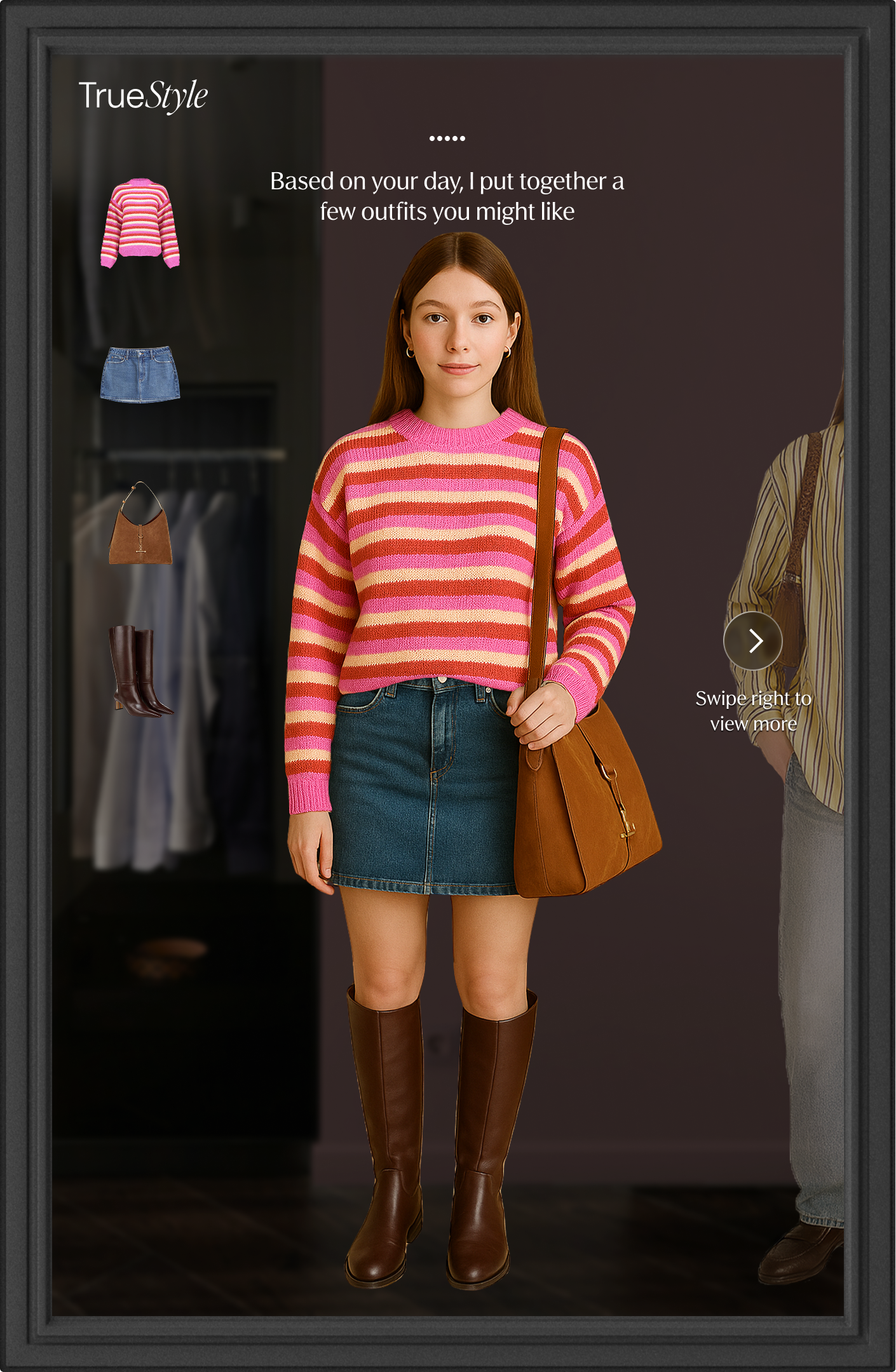
Figma Prototype
The VisionProduction UI, polished interactions, user flow, the full experience as it should exist at market. Designed without hardware constraints, this is TrueStyle if all resources were available.
Answers: What should this be? Will this solve the users problem?
Physical Prototype
The proofKinect v2 + Unity + C#: off-the-shelf hardware turned into a working AR styling mirror. Lower visual fidelity, same core interaction model. Built to prove the concept works in the real world.
Answers: Does it work for real users, not just in theory?
01 - The ProblemA mirror with no touchscreen creates a UX problem nobody has solved before. How do you make a novel, AI-powered interface feel effortless?
What if your mirror knew your wardrobe as well as Spotify knows your music?
That question drove two decisions:
How users navigate: which led to gesture, then voice
How AI fits in: not as a feature, but as the thing that makes the whole interaction disappear
02 — Defining the FlowMapping a product
with no playbook
This was a novel product, existing mirrors like Lululemon and Peloton weren't built for trying on clothing, so there was no direct precedent to benchmark against. I started from the user's goal instead, mapping the flow from there. That part was relatively straightforward.
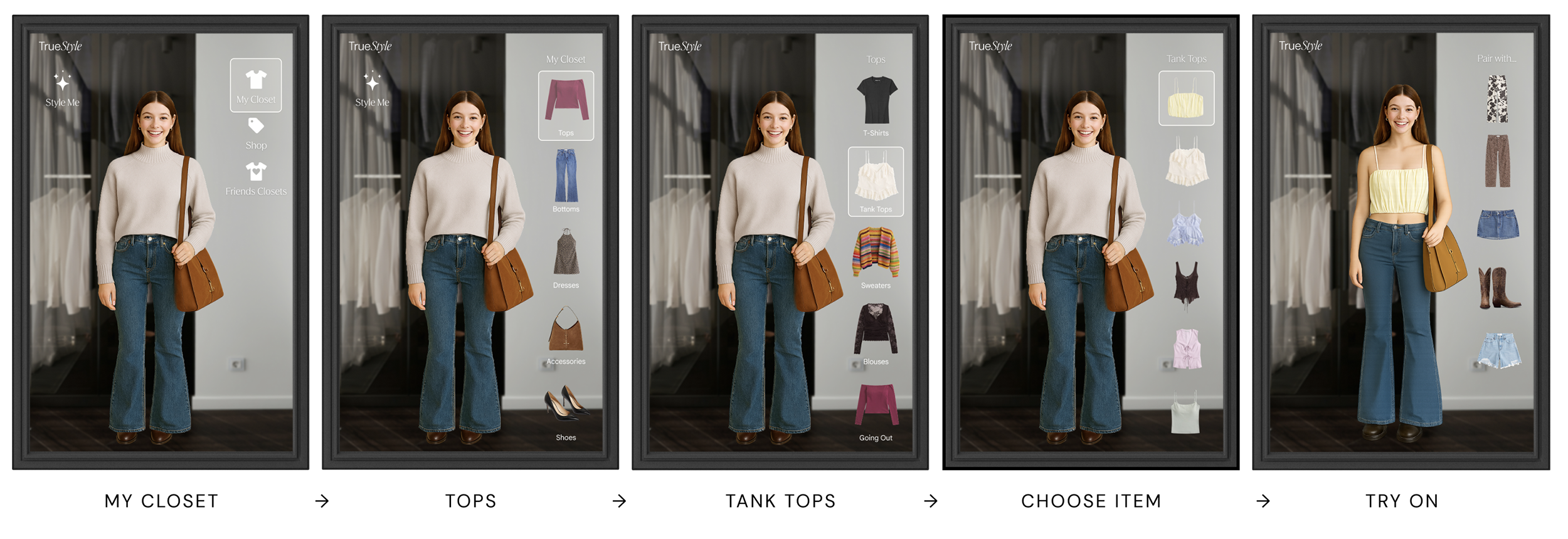
The first challenge was figuring out how users would navigate without a touchscreen. I wanted it to feel intuitive and seamless, using only four gestures so users wouldn't be overwhelmed trying to memorize them.
03 — Trying Gesture Navigation
Four gestures.
Everything else falls away.
With gesture navigation in mind, I initially kept all interactions on the right side so users can scroll up and down or move back and forward through selections. Having controls split across both sides would break that entirely. Centering everything on one side is what makes the four-gesture system possible. When they find something they want, a swipe right saves it to their wish list on the mobile app.
Swipe Up
Scroll up through outfit options
Swipe Down
Scroll down through outfit options
Swipe Left
Go back
Swipe Right
Make a selection / Save to wish list on mobile app
Rethinking gesture navigation
The four-gesture system worked logically, but logic isn't everything. To get to a specific outfit category, users had to swipe through multiple layers of navigation. This started to feel more cumbersome than just going to your closet and trying on an item.
04 — The PivotConversational AI
The mirror has no fixed navigation. The user talks to the mirror and asks what they need
"I need a formal dress for a wedding”
Voice lets someone say exactly what they want and skip the extra steps entirely. The interaction model stayed simple and the path to the result got dramatically shorter.
Reduced Cognitive Load
Voice removes the decision of which gesture to use. Users speak their intent directly, no mapping between action and meaning.
Faster Idea → Outfit
Saying "show me something casual" is faster than swiping through categories. Voice collapses multiple navigation steps into a single request.
No System to Learn
Gestures require learning a structure, which direction does what. Voice commands are self-documenting. Users already know the language.
Direct Access
Instead of navigating four layers deep to reach a category, users just ask. "Show me work outfits" bypasses the entire menu structure in a single statement.
The best interaction model is one you don’t notice. Voice lets the mirror get out of the way so the user can focus on what matters, how they look and feel.
05 — accessibilityVoice-First, Not Voice-Only
Not everyone can, or wants to, talk to their mirror. The companion app works as a remote control, with full navigation and a text-based AI stylist for users who prefer typing over speaking.
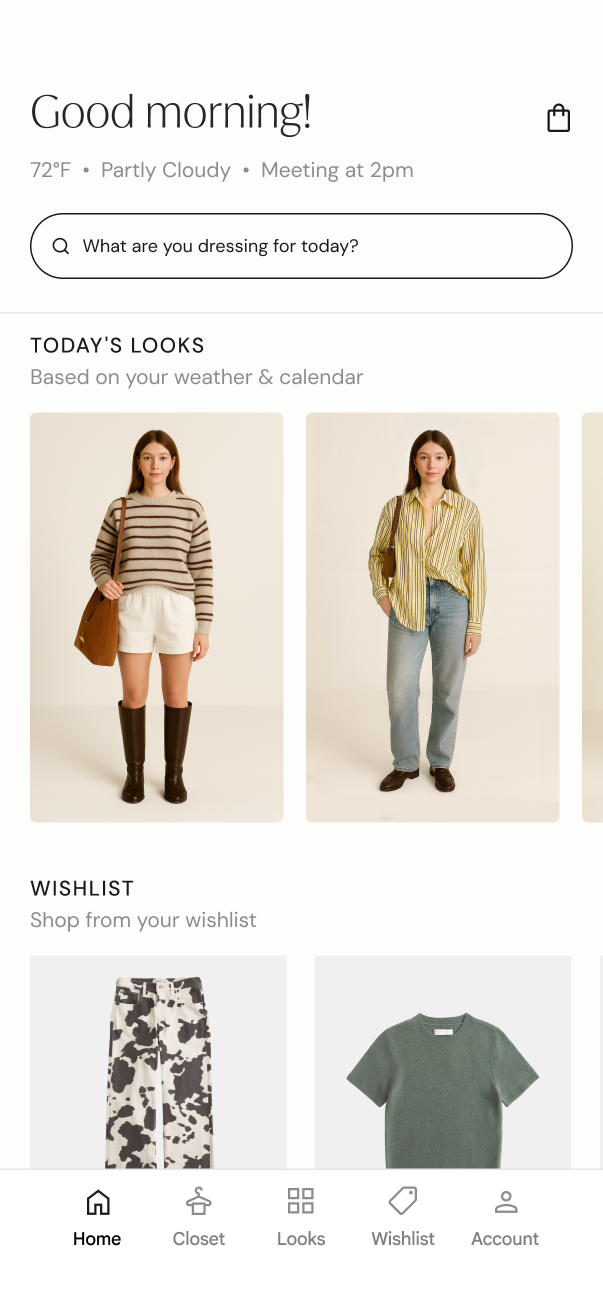
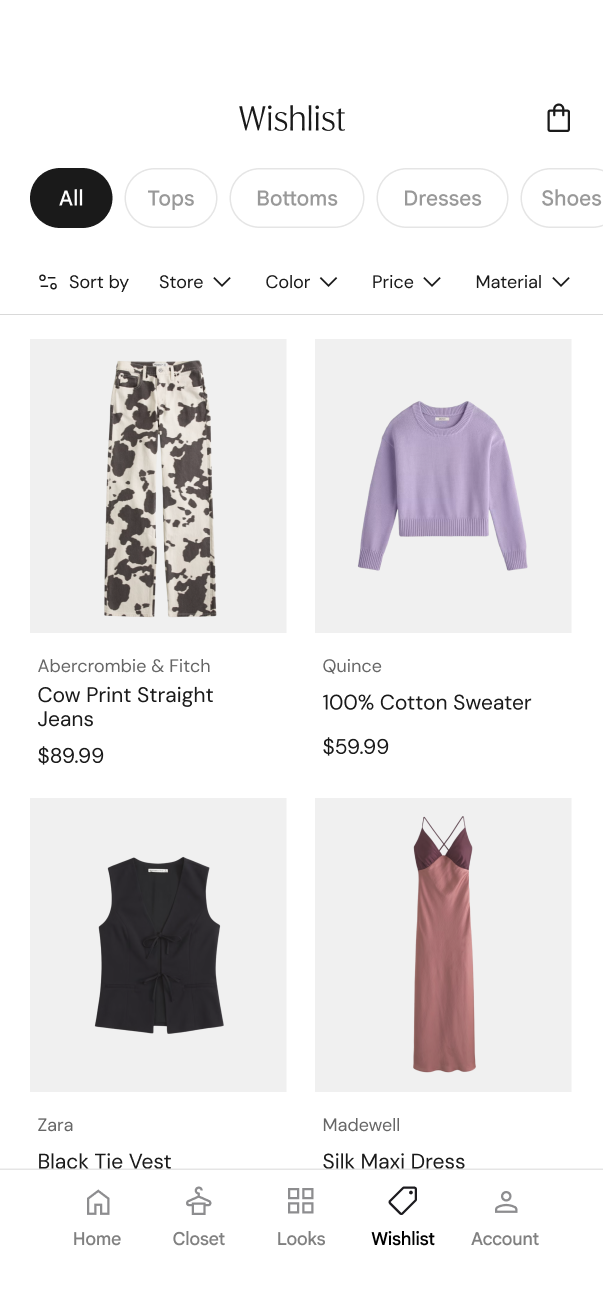
Three ways to interact
Voice is the fastest path, but it's never the only one. The system supports three input modes that cover different contexts and accessibility needs.
Voice Commands
The primary input. Speak naturally to browse, save, and restyle.
Mobile App Remote
The companion app doubles as a remote control. Browse, navigate, and swipe through outfits from your phone, for users who prefer not to speak or are in a shared space.
Text-Based AI Stylist
Type to the AI stylist directly in the app. Ask for outfit ideas, describe what you're in the mood for, or request specific combinations, all without saying a word.
06 — the vision What TrueStyle delivers
The Figma prototype represents the full product vision: the UI, the interaction model, the experience as it should exist at market.
Four core features, together they turn the mirror from a passive surface into an active styling partner.
AI Styling
A learning model that studies your style goals over time — not just what you wear, but how you want to dress. The more you use it, the sharper the suggestions get.
Digital Wardrobe
Your full wardrobe, digitized and browsable. Every piece cataloged, tagged, and ready to be styled — so nothing gets forgotten at the back of the rack.
Virtual Try-On
See outfits on your mirror avatar before committing. Evaluate fit, proportion, and pairings without changing clothes.
Smart Shopping
Gap analysis meets capsule wardrobe building. The mirror identifies what's missing and recommends versatile pieces that work with what you already own — fewer items, more outfits.
07 — What I LearnedWhat I learned
This project lived in two forms, a Figma prototype exploring what TrueStyle should be, and a physical prototype testing whether it could work. Each one taught me something different.
Figma PrototypeDesigning for a surface that doesn't exist yet
Voice changed the IA entirely
Gesture navigation was still putting the mental load on the user, forcing them to style themselves. Voice revealed something different, users come with intent already formed. They know the occasion, the mood, the general direction. They just need the system to execute it. That's a fundamentally different mental model, and it changed how I thought about hierarchy, depth, and what "navigation" even means for this product.
AI reframes what "navigation" means
Without AI interpreting what a user means, voice becomes just another button. AI is what makes the interaction feel like talking to a stylist rather than manually styling themselves.
physical PrototypeWhat Figma can't teach you
Standing in front of it changes everything
Decisions that felt resolved in Figma revealed themselves the moment I was standing in front of the mirror. The timing of overlays, the weight of a swipe, the gap between an intentional gesture and an accidental one, none of that exists in a prototype file. You only find it by building.
The hardest problems were invisible in design
Depth axis inversion between Kinect and Unity, swipe intent detection, skeleton tracking latency, none of these show up in Figma. But they're core to whether the experience works. Building the physical prototype forced me to solve design problems I didn't know I had.
The bigger lesson
The gap between concept and prototype is where most ideas die and also where the real design decisions get made. TrueStyle 2.0 taught me that building something, even imperfectly, is the only way to know if the design actually works. The Figma prototype shows where this product should go. The physical prototype proves it's worth going there.
Building the physical prototype
08 — The Physical PrototypeHow it actually works
The TrueStyle prototype runs on a vertical TV, a Kinect v2 camera, and Unity: off-the-shelf hardware turned into a working AR styling mirror. Kinect tracks 25 skeleton joints in real time and streams that data to Unity over UDP. Unity overlays clothing onto a live camera feed, anchoring tops to shoulder and spine joints and bottoms to hips. Everything scales dynamically as you move toward or away from the mirror.


